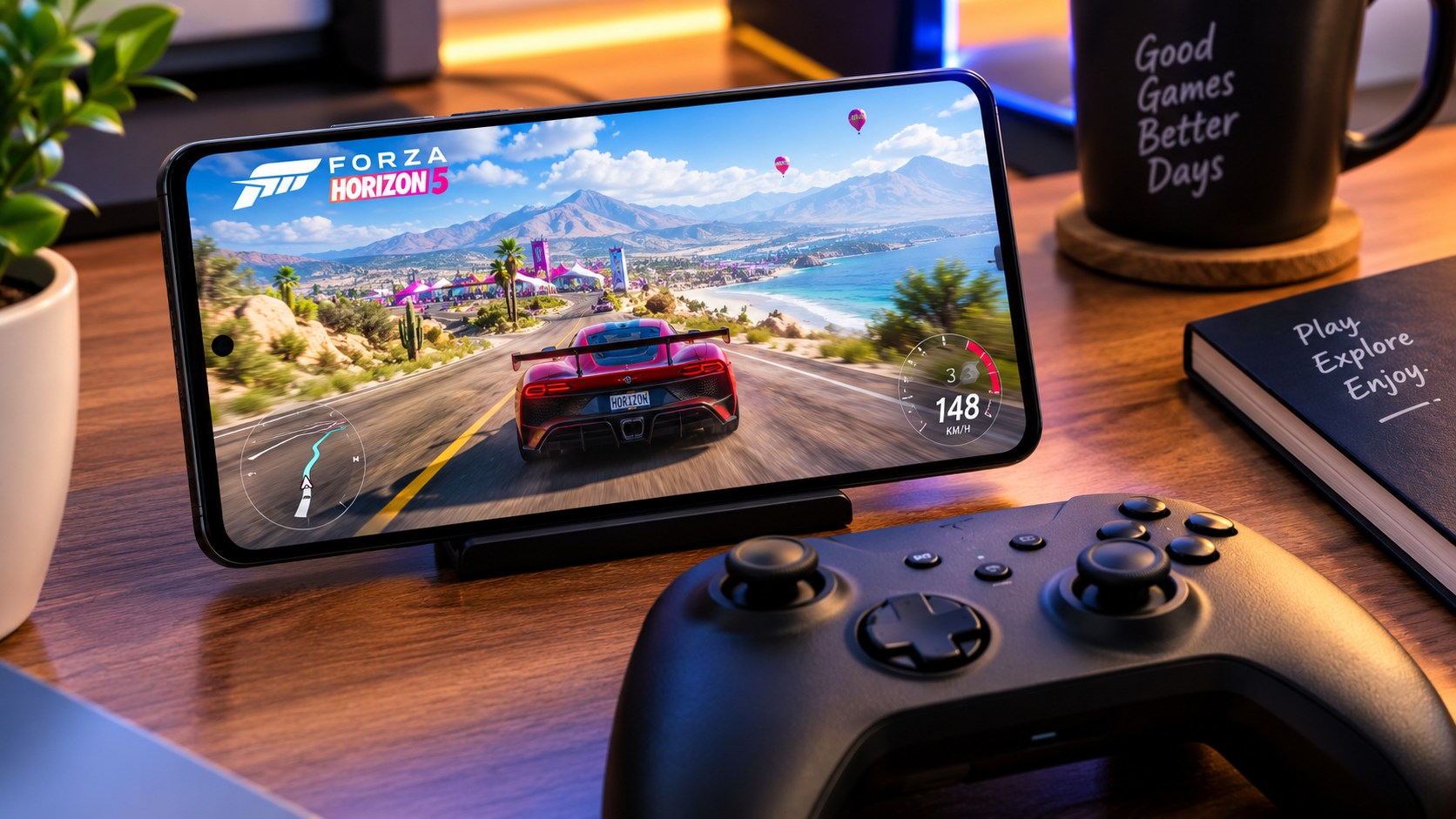
Forza Horizon 5 – Can You Play It on Mobile ?
Download This Game
DOWNLOAD NOWIf you are wondering “Can you play Forza Horizon 5 on mobile ?”, the short answer is: not as a native Android or iPhone game.
Forza Horizon 5 is officially available for Xbox consoles and Windows PC, and Microsoft also supports playing it through Xbox Cloud Gaming on compatible devices and subscriptions. That means you may be able to experience the full game on a smartphone without installing a native Android or iOS version.
There is an important difference, though: cloud gaming is game streaming, not a mobile port. Your phone receives the gameplay video from a remote gaming server while your controls are sent back over the internet.
So, if you see websites offering a supposed “Forza Horizon 5 Mobile APK,” be careful. An unofficial APK is not the same thing as an official mobile release.
Is Forza Horizon 5 Available on Android and iOS ?
Is there an official Forza Horizon 5 Android version ?
No official native Android version of Forza Horizon 5 is currently listed by Microsoft.
The official game platforms include Xbox One, Xbox Series X|S and Windows PC. Microsoft also lists cloud streaming as a way to play the game across supported devices.
Therefore, you should not expect to download an official Forza Horizon 5 APK from Google Play and install the complete game directly on your Android phone.
Is there an official Forza Horizon 5 iPhone version ?
There is also no native iPhone or iPad version of Forza Horizon 5 listed as an official mobile release.
Instead, Microsoft’s mobile gaming service allows supported iOS devices to access cloud gaming. Xbox states that its mobile experience supports iOS and Android devices and can provide cloud gaming through a compatible subscription.
How Can You Play Forza Horizon 5 on Mobile ?
The legitimate option is cloud gaming.
Microsoft specifically lists Forza Horizon 5 as playable through Xbox Cloud Gaming with Game Pass.
The basic idea is simple:
- Your smartphone connects to the cloud gaming service.
- The game runs remotely.
- Gameplay is streamed to your phone.
- Your touch or controller input is sent back to the cloud.
- You see and control Forza Horizon 5 on the phone screen.
This means your smartphone does not need to run the entire console/PC version locally.
What do you need ?
You generally need:
- A compatible Android or iOS device
- A supported Xbox account
- A compatible Game Pass subscription
- A stable internet connection
- A compatible browser or Xbox mobile experience
- A controller or supported touch controls, depending on the current game/service configuration
Xbox says its mobile cloud gaming experience can work with touch controls, an Xbox controller or a controller accessory.
Can You Download Forza Horizon 5 APK ?
No official Forza Horizon 5 APK should be downloaded from random APK websites.
If a website claims to offer:
- Forza Horizon 5 Mobile APK
- Forza Horizon 5 Android APK + OBB
- Forza Horizon 5 Mod APK
- Forza Horizon 5 Free Download APK
- Forza Horizon 5 Full Version Mobile
- Forza Horizon 5 Unlimited Money APK
you should treat the file as unofficial unless it comes from an authorized source.
Forza Horizon 5 is a large console/PC game, and an APK claiming to be the complete official mobile version deserves particular caution.
Why are fake APKs dangerous ?
Unofficial game downloads can potentially contain:
- Malware
- Spyware
- Credential – stealing code
- Aggressive advertising
- Phishing pages
- Modified game files
- Unwanted permissions
- Fake login screens
Never disable Android security features simply because a website tells you that they are required to install a “Forza Horizon 5 Mobile APK.”
If you want to play the actual game on your phone, use an official Microsoft/Xbox route instead.
[DOWNLOAD BUTTON HERE]
Recommended download approach: link this button to your site’s legitimate Xbox/cloud-gaming guide or directly to the official Xbox service – not to a third – party APK.
Forza Horizon 5 Game Overview
Forza Horizon 5 is an open – world racing game developed by Playground Games and published by Xbox Game Studios.
The game takes players to a large fictionalized representation of Mexico, with different environments including deserts, jungles, beaches, cities, canyons and mountainous areas.
Microsoft describes the game as featuring hundreds of cars and a large open-world environment with activities, challenges and car customization.
Unlike a traditional track – based racing game, Horizon 5 focuses heavily on exploration and open-world driving.
You can race, explore the map, customize vehicles and take part in different activities rather than simply completing one race after another.
Features and Gameplay
Open – world racing
One of the biggest attractions is the open-world environment.
Instead of being limited to a single circuit, players can explore different areas of Mexico and travel between events.
The environment includes:
- Deserts
- Jungles
- Beaches
- Cities
- Canyons
- Historic locations
- Mountain areas
Microsoft also highlights changing weather and varied environments as part of the Horizon experience.
Large car collection
Forza Horizon 5 is built around collecting, driving and customizing cars.
The official Xbox description highlights hundreds of vehicles, while the game’s different editions and add-ons expand the available content.
Car customization
Customization is another major part of the game.
Players can modify cars and create different setups rather than simply choosing a vehicle and leaving it completely unchanged.
Online multiplayer
Forza Horizon 5 also supports online multiplayer and co-op features on its supported platforms. Xbox lists online multiplayer for up to 12 players and co-op capabilities for smaller groups.
Forza Horizon 5 Graphics
Graphics are one of the reasons people are interested in playing Forza Horizon 5 on smartphones.
The original game was designed for consoles and PC, so its visual presentation is significantly more demanding than a typical mobile racing game.
The environments feature detailed roads, vegetation, vehicles, weather effects and large open-world scenery.
On PS5, the official PlayStation version includes enhanced visual features, multiple rendering modes and ray-tracing features for specific areas such as Photo Mode, replays and the garage.
However, cloud gaming changes what your phone is actually rendering.
When streaming the game, the heavy graphics processing is performed remotely. Your phone mainly needs to decode and display the streamed video while sending your controls back to the service.
Can You Play Forza Horizon 5 With a Controller on Mobile ?
A physical controller can make a major difference when playing a console-style racing game on a smartphone.
Xbox states that its mobile gaming experience supports touch controls, Xbox controllers and controller accessories.
For a racing game such as Forza Horizon 5, a physical controller can provide more familiar steering, acceleration and braking controls than a touchscreen.
However, controller compatibility can depend on the device, operating system, browser and current cloud-gaming implementation.
Do not assume that every Bluetooth controller will provide identical functionality.
Forza Horizon 5 Mobile Performance
There is an important difference between native mobile gaming and cloud gaming.
Native mobile game
A native game is installed directly on your phone.
Your phone’s processor and GPU handle the game’s graphics and gameplay.
Cloud gaming
With cloud gaming, the game runs remotely and is streamed to your phone.
For Forza Horizon 5, this can be useful because your smartphone does not have to reproduce the full console/PC workload locally.
However, your experience depends heavily on:
- Internet speed
- Network stability
- Wi-Fi or mobile data quality
- Server distance
- Network congestion
- Device decoding performance
- Controller latency
A powerful smartphone can improve the overall experience, but it cannot completely eliminate network latency.
Internet Connection Matters More Than Phone Specs
This is one of the biggest things to understand before trying Forza Horizon 5 through cloud gaming.
A flagship phone with poor connectivity can deliver a worse cloud-gaming experience than a less expensive phone connected to a strong, stable network.
For the best experience:
- Prefer a stable Wi-Fi connection.
- Avoid congested networks.
- Use a modern device with a good display.
- Keep the phone charged.
- Close unnecessary background apps.
- Use a controller if you prefer console-style controls.
- Avoid playing through an unstable mobile connection when possible.
Storage Requirements
If you are playing through cloud gaming, you do not need to install the complete console/PC game onto your smartphone.
That is one of the major advantages of cloud gaming.
However, the Xbox app, browser data, cached content and other supporting files still require some phone storage.
For a locally installed version, you should refer to the official platform’s current system requirements rather than relying on random websites.
Do not assume that a website advertising a tiny “Forza Horizon 5 APK” has somehow compressed the complete console game into a small mobile installation.
Can Low – End Android Phones Run Forza Horizon 5 ?
There is no official native Android version from Microsoft that you can benchmark against different Android phones.
For cloud gaming, the question is different.
Because the game is processed remotely, the phone does not need console – level graphics hardware. However, the device still needs to provide a compatible experience for streaming video, controls and the browser/service.
Therefore, cloud gaming requirements and native game requirements should not be confused.
A phone that cannot run a demanding racing game locally may still be capable of streaming it.
Forza Horizon 5 on PS5 vs Mobile
Forza Horizon 5 is also available on PS5, following its PlayStation release in 2025. The official PlayStation listing confirms PS5 support and features such as DualSense haptic feedback and adaptive triggers.
| Feature | PS5 | Mobile via Cloud |
|---|---|---|
| Native installation | Yes | No |
| Full game experience | Yes | Streamed |
| Large TV display | Yes | Smartphone display |
| Physical controller | Yes | Compatible controller can be used |
| Internet dependency | Online features require internet | Strong internet is especially important |
| Graphics processing | PS5 hardware | Remote cloud hardware |
| Portability | Limited | Excellent |
| Touch controls | Not the main control method | Supported by Xbox mobile experience |
The PS5 version also takes advantage of DualSense features and enhanced visual options.
For the best visual and control experience, a console or capable PC remains the more traditional way to play.
For portability, cloud gaming on a phone is much more convenient.
Is Forza Horizon 5 Available on PS4 ?
The current official PlayStation listing is for PS5. The official Xbox listing identifies Xbox One, Xbox Series X|S and PC as supported platforms.
So you should not download a supposed “Forza Horizon 5 PS4 PKG” from unofficial websites.
If a website claims to provide an unofficial PS4 port, that is not evidence of an official PlayStation release.
Is Forza Horizon 5 Free on Mobile ?
There is no official free native mobile version of Forza Horizon 5.
The game can be accessed through Xbox Game Pass/cloud gaming under Microsoft’s current subscription arrangements, while the game is also sold on supported platforms. Xbox’s current store listing identifies cloud play with Game Pass Premium and Ultimate, with purchase requirements varying by Game Pass tier.
Prices and subscription availability can change by country, retailer, platform and time.
For Thailand specifically, always check the current Xbox regional availability before purchasing a subscription specifically for cloud gaming.
How to Play Forza Horizon 5 on Android or iPhone
Step 1: Use an official Xbox route
Open the official Xbox mobile/cloud gaming service rather than searching for a random APK.
Step 2: Sign in
Use your Microsoft/Xbox account.
Step 3: Check Game Pass availability
Cloud gaming requires an eligible subscription or access method according to Microsoft’s current terms.
Step 4: Find Forza Horizon 5
Search for Forza Horizon 5 through the official Xbox service.
Step 5: Start cloud gaming
If the game and service are available for your account and region, start the cloud session.
Step 6: Connect a controller
For a more console-like experience, connect a compatible controller.
Step 7: Test your connection
If you experience input delay, blurry graphics or frequent interruptions, check your network before assuming your phone is the problem.
Safety Guide: Avoid Fake Forza Horizon 5 Mobile Downloads
Searches for mobile versions can lead users toward unofficial APK sites.
Be especially cautious if a website asks you to:
- Install an unknown APK
- Disable Play Protect
- Install a second “verification” app
- Enter your Microsoft password
- Enter payment information on an unknown page
- Complete suspicious surveys
- Give accessibility permissions
- Install an unknown VPN or profile
- Download multiple APK/OBB files from file-sharing sites
A legitimate game download should not require suspicious steps simply to prove that you are human.
What about mod APKs ?
Avoid them.
A modified APK claiming to provide unlimited money, unlocked cars or the full Forza Horizon 5 experience is not an official release.
Besides security risks, modified files can also expose accounts and personal information.
Common Mistakes to Avoid
Mistake 1: Searching for a “Forza Horizon 5 APK”
There is no reason to download a random APK when the official game is available through supported Xbox platforms and cloud gaming.
Mistake 2: Confusing cloud gaming with a mobile port
Cloud gaming means the game is running remotely.
It does not mean Microsoft released a native Android version.
Mistake 3: Ignoring regional availability
Game Pass and cloud services can vary by country.
Always check Microsoft’s current regional availability information before purchasing a subscription.
Mistake 4: Expecting perfect performance on any connection
Cloud gaming is sensitive to network quality.
A fast but unstable connection can still cause problems.
Mistake 5: Trusting YouTube APK links
A video claiming “Forza Horizon 5 Mobile is officially released” does not make the download official.
Check Microsoft/Xbox or the relevant official store instead.
Best Alternatives If You Want a Native Mobile Racing Game
If your main requirement is a racing game that is actually installed on Android or iOS, you may prefer a dedicated mobile racing title rather than cloud streaming Forza Horizon 5.
Good alternatives can include established mobile racing franchises such as:
- Asphalt series
- GRID Autosport
- Real Racing series
- CarX Street
Availability varies between Android and iOS, so check the relevant official app store before downloading.
The important difference is that these games are designed for mobile devices, while Forza Horizon 5 is fundamentally a console/PC game that can also be streamed to compatible devices.
Pros and Cons of Playing Forza Horizon 5 on Mobile
Pros
- Play a console/PC racing experience on a smartphone
- No need to install the complete game locally when using cloud gaming
- Excellent portability
- Controller-friendly experience
- Large open – world environment
- Hundreds of cars
- Console-style gameplay
Cons
- No official native Android/iOS version
- Cloud gaming requires a suitable connection
- Network latency can affect controls
- Subscription/access requirements apply
- Availability varies by region and service
- A small phone screen cannot match a large TV
- Touch controls may not feel as natural as a physical controller
Who Should Play Forza Horizon 5 on Mobile ?
Forza Horizon 5 through cloud gaming makes the most sense for players who:
- Already use Xbox/Game Pass services
- Have a reliable internet connection
- Want to play a console-style racing game away from a TV
- Own a compatible smartphone
- Prefer using a physical controller
- Do not want to install a huge game locally
Who Should Avoid It ?
It may not be the best choice if you:
- Have an unstable internet connection
- Expect an offline Android version
- Want a completely native mobile game
- Dislike input latency
- Prefer playing without subscriptions
- Want the highest possible image quality on a large display
Final Words : Can You Play Forza Horizon 5 on Mobile ?
Yes, but not as a native Android or iOS game.
The important distinction is that Forza Horizon 5 is not officially released as a standalone mobile APK or iOS app. Instead, mobile players can access the game through supported cloud – gaming options where Microsoft’s service is available. Xbox officially lists Forza Horizon 5 as a cloud-playable game and supports mobile cloud gaming on compatible devices.
For players in Thailand and other regions, availability should be checked directly with Xbox because Game Pass and Cloud Gaming support can vary by market and can change over time.
So, if you see “Forza Horizon 5 Mobile APK” on an unknown website, don’t assume it is the official game. For the safest experience, stick to Microsoft/Xbox and official platform stores.
For the full console-style experience, Xbox, PC and PS5 remain the primary options. For portability, cloud gaming gives mobile users a practical way to experience Horizon 5 without turning the smartphone into a full console.
FAQ: Forza Horizon 5 Mobile
1. Can you play Forza Horizon 5 on Android ?
Yes, but not as an official native Android installation. The legitimate mobile option is cloud gaming where the Xbox service and game are available.
2. Is Forza Horizon 5 available on iPhone ?
There is no native iPhone version of the full game. It can potentially be played through supported Xbox cloud-gaming services instead.
3. Is Forza Horizon 5 Mobile APK official ?
No official native Forza Horizon 5 Android APK is listed by Microsoft. Avoid unofficial APK files claiming to be the complete mobile game.
4. Can I play Forza Horizon 5 without a console ?
Yes. You can play it on supported PC platforms, and Microsoft also provides cloud streaming for supported users and regions.
5. Can I use a controller to play Forza Horizon 5 on mobile ?
Xbox supports compatible controllers and controller accessories for its mobile gaming experience.
6. Does Forza Horizon 5 work offline on mobile ?
Cloud gaming requires an internet connection, so you cannot use cloud streaming as an offline mobile installation.
7. Is Forza Horizon 5 free on Android ?
There is no free official Android version. Cloud access and game ownership/subscription requirements depend on the current Xbox/Game Pass offering and region.
8. Is Forza Horizon 5 available on PS5 ?
Yes. The official PlayStation Store lists Forza Horizon 5 for PS5, including support for PS5 features such as DualSense haptics and adaptive triggers.
9. Can low-end phones play Forza Horizon 5 ?
A phone does not need to run the full game locally when using cloud gaming, but the device still needs to support the streaming experience. Network quality is also extremely important.
10. Where should I download Forza Horizon 5 ?
Use official Xbox/Microsoft or PlayStation sources and legitimate stores. Avoid pirated copies, cracked APKs and unknown download websites.