Best PC Games You Can Experience on Mobile
Download This Game
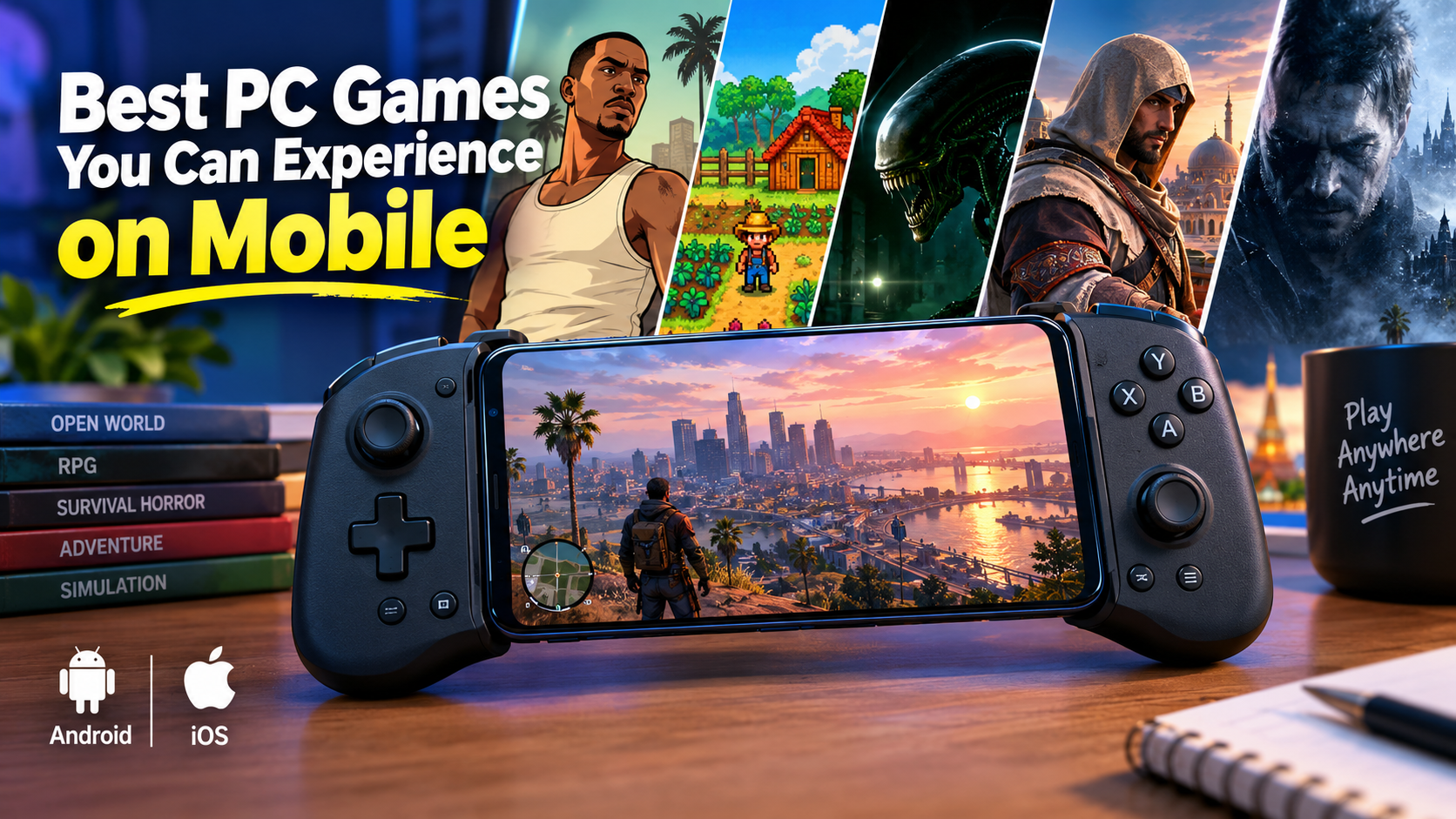
DOWNLOAD NOWMobile gaming is no longer limited to short puzzle games and simple arcade titles. Today, some of the best PC games you can experience on mobile are officially available on Android, iPhone and iPad, ranging from huge open-world adventures to deep RPGs, survival horror and farming simulations.
The experience is not always identical to playing on a powerful gaming PC. Screen size, hardware requirements and touch controls can change the experience significantly. However, modern smartphones and tablets can now deliver surprisingly ambitious games – especially when developers create proper mobile ports rather than simple companion apps.
Below are some of the best officially available PC and console – style games worth experiencing on mobile, along with important information about graphics, controls, performance, storage and safe downloading.
Availability, compatibility and pricing can change by country, platform and time. Always check the official Google Play Store or Apple App Store listing before downloading or purchasing.
Quick Answer: What Are the Best PC Games You Can Experience on Mobile ?
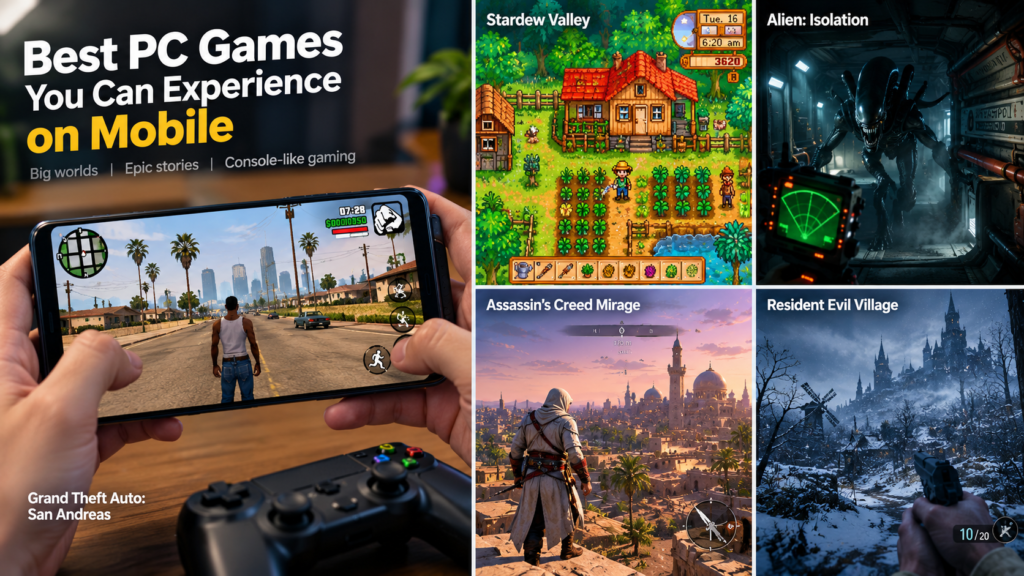
Some of the strongest choices include:
- Grand Theft Auto: San Andreas
- Stardew Valley
- Alien: Isolation
- Assassin’s Creed Mirage
- Resident Evil Village
These games represent different types of PC-style gaming. Some are designed to run across Android and iOS devices, while others are demanding native ports available only on selected Apple hardware.
The important thing is to check your exact device compatibility before buying.
1. Grand Theft Auto: San Andreas
Grand Theft Auto: San Andreas on Google Play
Few games demonstrate the appeal of bringing a major PC experience to mobile better than Grand Theft Auto: San Andreas.
Originally famous on PC and consoles, the game brings its massive open world to smartphones and tablets. Players control Carl “CJ” Johnson as he travels across Los Santos, San Fierro and Las Venturas.
The official mobile version includes a huge open world and more than 70 hours of gameplay according to the Google Play listing.
Gameplay and Features
GTA: San Andreas remains impressive because it gives mobile players a complete open-world experience:
- Large cities and countryside to explore
- Story missions and side activities
- Vehicles including cars, motorcycles and aircraft
- Character progression and customization
- A lengthy single-player campaign
This is not a small mobile game inspired by GTA. It is a genuine adaptation of one of the most influential open-world games of its generation.
Graphics
The mobile version includes visual improvements designed for mobile hardware, including enhanced lighting, colour presentation and improved character models. The exact visual experience can vary depending on the device and version being played.
Controls and Controller Support
Touchscreen controls work reasonably well for casual driving and exploration, but many players may prefer a physical controller for longer sessions.
The iOS version officially lists physical controller support for compatible Made for iOS controllers.
Android and iOS Availability
GTA: San Andreas is officially available on mobile platforms, although store availability and supported versions can change over time. Rockstar’s support pages also publish current support and update information.
Why Play It ?
Best for: Open – world fans, GTA fans and players who want a long single-player adventure on mobile.
2. Stardew Valley
Stardew Valley Official Website and FAQ
If your idea of a great PC game is something relaxing, deep and endlessly replayable, Stardew Valley remains one of the best choices available on mobile.
The country-life RPG is officially available across PC, consoles, iOS and Android.
Gameplay
Stardew Valley starts with a simple idea: restore an old farm. From there, the game becomes much larger.
Players can:
- Grow crops
- Raise animals
- Fish and mine
- Build relationships
- Explore dangerous areas
- Upgrade their farm
- Participate in seasonal activities
The game works especially well on mobile because many activities can be enjoyed in shorter sessions.
Graphics
The pixel – art presentation is one of Stardew Valley’s biggest advantages on smartphones. It does not depend on extreme hardware power to look attractive, and its visual style remains clear on smaller screens.
Controls
The mobile version was designed with touchscreen play in mind, making it easier to enjoy without requiring expensive gaming hardware.
Android and iOS Availability
Stardew Valley is officially available on both Android and iOS. The official Stardew Valley FAQ confirms mobile availability alongside PC and console platforms.
Why Play It ?
Best for: Relaxed gamers, simulation fans and players who want a deep premium game that works well in both short and long sessions.
3. Alien: Isolation
Alien: Isolation on Google Play
Alien: Isolation is one of the most impressive examples of a serious PC and console experience arriving on mobile.
Instead of turning the franchise into a simplified action game, the mobile version preserves the survival – horror identity that made the original so popular.
Gameplay
The focus is on survival rather than constant shooting.
Players must:
- Explore dangerous environments
- Hide from threats
- Manage resources
- Use equipment carefully
- Avoid making unnecessary noise
The result is a tense experience that feels much closer to traditional PC and console gaming than typical mobile action games.
Graphics
Alien: Isolation is visually more demanding than simple mobile games. Atmospheric lighting, detailed environments and the game’s cinematic presentation are major parts of the experience.
Performance will naturally depend on your device and its compatibility.
Controls
Touch controls make the game playable without extra accessories, but a controller can provide a more traditional console-style experience where supported by the platform and game version.
Always check the official store listing for your device before assuming controller compatibility.
Why Play It ?
Best for: Horror fans and players looking for a premium, story-driven mobile experience.
4. Assassin’s Creed Mirage
Assassin’s Creed Mirage on the Apple App Store
Assassin’s Creed Mirage represents a newer generation of high – end games reaching mobile hardware.
The game follows Basim through ninth-century Baghdad and focuses on stealth, parkour, exploration and assassination missions.
Apple’s App Store describes the mobile release as a version that mirrors its console and PC counterparts, while also listing official controller support.
Gameplay and Features
Expect classic Assassin’s Creed elements such as:
- Stealth gameplay
- Parkour and rooftop movement
- Story missions
- Exploration
- Combat
- Assassination mechanics
This makes Mirage particularly interesting for players who want a modern AAA-style experience rather than a traditional mobile game.
Graphics
Mirage is among the visually ambitious games in this list. Detailed environments and large locations require significantly more powerful hardware than older mobile ports.
Controls and Controller Support
The App Store listing confirms controller support and compatibility with supported controllers, including compatible PlayStation, Xbox and MFi controllers.
A controller can make movement, camera control and combat feel more familiar to players coming from PC or console gaming.
Requirements and Storage
This is a demanding game. The App Store listing currently shows:
- iOS 17.4 or later
- A supported high-performance Apple device
- Storage requirements that can reach approximately 23.7 GB
Compatibility is limited to supported hardware listed by Apple, so it is important to check the current store page before downloading.
Android Availability
Do not assume that an Android version exists simply because the game is available on PC and Apple devices. Availability should always be confirmed through official Ubisoft and platform sources.
Why Play It?
Best for: Players with compatible high-end Apple hardware who want a modern AAA adventure with controller support.
5. Resident Evil Village
Resident Evil Village on the Apple App Store
Resident Evil Village brings another major PC and console franchise to supported mobile hardware.
The game combines first-person action, exploration, puzzles and survival horror.
Gameplay
Players explore a mysterious village while fighting enemies, managing resources and uncovering a story filled with classic Resident Evil tension.
Its gameplay includes:
- First-person combat
- Exploration
- Resource management
- Puzzle solving
- Horror sequences
- Story-driven progression
Graphics
Resident Evil Village is visually ambitious, with detailed environments and cinematic presentation. This is one reason the game has strict hardware requirements.
Controls and Controller Support
The official App Store listing identifies the game as controller supported.
Touch controls offer portability, while a compatible controller can provide a more console-like setup.
Requirements
The App Store currently lists requirements including:
- iOS 17.0 or later
- A supported device with A17 Pro or later for iPhone compatibility
- Supported iPads with A17 Pro or M-series hardware
The exact compatibility list can change, so check the official App Store page before downloading.
Why Play It?
Best for: Players who enjoy AAA horror games and own compatible high-performance Apple hardware.
Comparison: Best PC Games You Can Experience on Mobile
| Game | Genre | Mobile Availability | Best For |
|---|---|---|---|
| Grand Theft Auto: San Andreas | Open-world action | Android/iOS | Long open-world gameplay |
| Stardew Valley | Farming RPG/simulation | Android/iOS | Relaxing, deep gameplay |
| Alien: Isolation | Survival horror | Mobile availability varies by store/device | Horror and atmosphere |
| Assassin’s Creed Mirage | Action-adventure | Supported Apple devices | Modern AAA gaming |
| Resident Evil Village | Survival horror/action | Supported Apple devices | High-end horror gaming |
Important: Platform availability and compatibility can change. Always verify your country, device and operating system through the official store before purchasing.
Graphics: How Close Are Mobile Versions to PC Games ?
The answer depends heavily on the game.
Older PC games such as Stardew Valley and GTA: San Andreas can adapt more easily to smartphones because their original hardware requirements are lower.
Modern AAA games such as Assassin’s Creed Mirage and Resident Evil Village are far more demanding. They require powerful modern hardware and may not support most smartphones.
Mobile versions may also include:
- Different graphics settings
- Reduced visual effects
- Modified controls
- Optimisations for smaller screens
- Platform – specific performance adjustments
A mobile port should not automatically be judged by whether every visual setting matches a gaming PC. The more important question is whether the game delivers a good experience on the hardware it officially supports.
Touch Controls vs Physical Controllers
One of the biggest differences between PC and mobile gaming is the control system.
Touchscreen Controls
Advantages:
- No additional hardware required
- Easy to play anywhere
- Convenient for casual sessions
Disadvantages:
- Fingers can cover part of the screen
- Complex games can feel crowded
- Fast camera movement may be harder
Physical Controllers
A compatible controller can make supported games feel closer to console gaming.
Benefits may include:
- Physical buttons and triggers
- More comfortable movement
- Better camera control
- A clearer view of the screen
However, never assume every mobile game supports every controller. Check the official game listing and your device’s compatibility information first.
PC and Console vs Mobile: What Is the Difference ?
Playing a major PC game on mobile has obvious advantages, but there are compromises.
Mobile Advantages
- Portable gaming
- No gaming PC required
- Easy access for travel and commuting
- Touch controls available
- Some games support controllers
PC and Console Advantages
- Larger displays
- More powerful hardware
- Keyboard and mouse options on PC
- Potentially higher graphics settings
- More comfortable long gaming sessions
For many people, mobile works best as a way to enjoy a full game when portability matters most.
Requirements and Performance Tips
Before downloading a large PC – style game, check the following:
1. Device Compatibility
The most important factor is whether your exact phone or tablet is officially supported.
Do not rely only on the processor name or internet rumours.
2. Free Storage Space
Large games may require significantly more free space than the initial download size.
Keep additional storage available for:
- Game data
- Updates
- Save files
- Temporary installation files
3. Operating System Version
Premium mobile ports may require newer Android or iOS versions.
4. Battery and Heat
High-performance games can:
- Drain the battery quickly
- Make phones warm
- Reduce performance during long sessions
Take breaks if your device becomes unusually hot.
How to Download PC-Style Games Safely on Mobile
The safest approach is simple.
Android
Use:
- Google Play Store
- The official publisher or developer’s authorised distribution channels
iPhone and iPad
Use:
- Apple App Store
Avoid Unofficial APK Websites
Be extremely careful with websites claiming to offer:
- “Free premium APKs”
- Cracked games
- Modded paid games
- Unlimited money versions
- Early access files from unknown sources
These downloads can contain malware, spyware or modified files.
Mobile Gaming Safety and Security Tips
Before installing any game:
Check the Publisher
Make sure the developer or publisher name matches the official company.
Avoid Suspicious Permissions
Be cautious if a simple game requests access that appears unrelated to its function.
Do Not Enter Your Login Details on Unknown Websites
Fake download pages can be designed to steal:
- Email accounts
- Social media accounts
- Payment information
- Gaming accounts
Keep Your Device Updated
Operating system and security updates can help protect your phone from known vulnerabilities.
Do Not Disable Security Features for Random APKs
If a website tells you to disable security protection before installing a game, treat that as a serious warning sign.
Pros and Cons of Playing PC Games on Mobile
Pros
- Play major games anywhere
- No gaming PC required for officially supported mobile versions
- Increasing number of premium game ports
- Controller support is available in some games
- Excellent option for travel
Cons
- Not every smartphone is powerful enough
- Large storage requirements
- Touch controls may not suit every genre
- Battery drain and heat can affect long sessions
- Some AAA games have limited device availability
Who Should Play These Games ?
You should consider PC – style mobile games if you:
- Enjoy long single – player games
- Want deeper gameplay than typical casual titles
- Prefer premium games
- Travel frequently
- Own a compatible controller
- Have a phone or tablet with enough storage and performance
Who May Want to Avoid Them ?
You may prefer traditional mobile games if you:
- Have very limited storage
- Use an older device
- Only enjoy quick five-minute sessions
- Do not like touchscreen controls for complex games
- Want games with very low hardware requirements
Common Mistakes to Avoid
Buying Before Checking Compatibility
A game being available in a store does not always mean it will run on every device.
Assuming Every PC Game Has a Mobile Version
Many popular PC games are not officially available as native Android or iOS releases.
Downloading Fake APK Files
If a major premium game is being offered for free by an unknown website, there is a strong reason to be suspicious.
Ignoring Storage Requirements
Always leave extra free storage rather than downloading until your device is completely full.
Assuming Every Bluetooth Controller Works Automatically
Controller compatibility can vary by game, operating system and device.
Frequently Asked Questions
1. What are the best PC games you can experience on mobile ?
Some excellent officially available options include Grand Theft Auto: San Andreas, Stardew Valley, Alien: Isolation, Assassin’s Creed Mirage and Resident Evil Village, depending on your device and region.
2. Can you play real PC games directly on Android ?
Some PC games have official Android ports, but that does not mean every PC game can run natively on Android. Always distinguish official mobile ports from streaming or unofficial software.
3. Are PC-quality games available on iPhone ?
Yes. Supported Apple devices can run several high-end games, including officially released AAA titles such as Assassin’s Creed Mirage and Resident Evil Village.
4. Do mobile PC game ports support controllers ?
Some do, but controller support varies by game. Assassin’s Creed Mirage and Resident Evil Village are listed as controller supported on the App Store.
5. Is GTA San Andreas worth playing on mobile ?
Yes, especially for players who enjoy open-world games and want a lengthy single – player experience. The official listing describes a large world covering three major cities and more than 70 hours of gameplay.
6. What is the safest place to download mobile games ?
The safest choices are official stores such as Google Play and the Apple App Store, along with authorised publisher channels.
7. Why do some AAA mobile games require expensive phones ?
Modern AAA games require powerful processors, graphics hardware and memory. Developers may therefore limit compatibility to devices capable of delivering acceptable performance.
8. Can mobile games look as good as PC games ?
Some high-end mobile ports can look impressive, but a powerful gaming PC can still offer advantages such as higher graphics settings and more performance options.
9. Are premium mobile games better than free games ?
Not necessarily. Premium games and free-to-play games use different business models. The best choice depends on the gameplay experience you want.
10. Should I download APK files for games not available in my country ?
It is safer to avoid unofficial APK websites. Check official publisher announcements and legitimate stores instead.
Final Words: Are the Best PC Games on Mobile Worth Playing ?
The best PC games you can experience on mobile prove that smartphones and tablets are becoming serious gaming platforms.
For broad Android and iOS accessibility, Stardew Valley and Grand Theft Auto: San Andreas remain excellent choices. For players with compatible high – end Apple hardware, games such as Assassin’s Creed Mirage and Resident Evil Village show how close mobile gaming can come to a modern console-style experience.
The best choice ultimately depends on your device, preferred genre, storage space and whether you prefer touchscreen or controller gaming. Whatever you choose, download from legitimate sources, check compatibility carefully and avoid suspicious APK websites.