Best High – Graphics Games for Mobile Gamers
Download This Game
DOWNLOAD NOWMobile gaming has reached a point where smartphones and tablets can deliver remarkably detailed worlds, cinematic effects, realistic environments and smooth action. The best high – graphics games for mobile gamers are no longer limited to simple visual showcases – they combine impressive graphics with deep gameplay, competitive multiplayer modes and console-style experiences.
Whether you use Android or iOS, there are now excellent options for fans of open-world RPGs, racing simulations, shooters and battle royale games. However, high-end visuals usually demand more powerful hardware, more storage space and careful graphics settings.
This guide explores some of the best high – graphics games for mobile gamers, including what makes them visually impressive, how they perform, and what you should consider before downloading them.
Game Overview: What Makes a Mobile Game High – Graphics ?
A high-graphics mobile game is not simply a game with high resolution. Modern visual quality can include:
- Detailed character models
- Large open environments
- Advanced lighting and shadows
- High – quality textures
- Particle effects
- Weather systems
- Cinematic animations
- Long draw distances
- Smooth frame rates
- Detailed vehicles and environments
The best results usually come from combining strong artwork with good optimization. A game can look spectacular, but if it runs poorly on most devices, the experience may be less enjoyable.
The games below represent different genres, so the best choice depends on whether you prefer RPG adventures, competitive shooters, racing or multiplayer action.
Best High-Graphics Games for Mobile Gamers
1. Genshin Impact
Best for: Open – world RPG fans
Genshin Impact remains one of the most visually ambitious mobile games available. Its large fantasy world features colorful landscapes, cities, mountains, water effects, character animations and cinematic presentation.
The game combines exploration with action combat and character-based abilities. Players can travel through a large world, complete quests, fight enemies and build teams using characters with different elemental abilities.
Graphics
The visual style is anime-inspired rather than photorealistic, but the game includes impressive environmental detail, lighting, effects and large landscapes.
On powerful devices, higher graphics settings can significantly improve visual quality. However, demanding settings can also increase battery consumption and heat.
Controls
Touch controls are available on mobile devices. Controller compatibility depends on the platform and supported configuration, so players should check current official support information for their specific device.
Availability
Genshin Impact is available on supported mobile platforms through official stores.
Performance Tips
For a smoother experience:
- Reduce shadows first if performance drops.
- Lower resolution or rendering quality when necessary.
- Close background apps.
- Avoid gaming while charging if your device becomes too hot.
- Keep enough free storage for game updates.
Pros
- Beautiful open world
- Strong environmental design
- Cinematic presentation
- Deep exploration and combat
- Regular content updates
Cons
- Can require significant storage
- Demanding on older phones
- Long gaming sessions can affect battery life
2. Wuthering Waves
Best for: Fast – paced action RPG players
Wuthering Waves is a story – focused open-world action RPG featuring exploration, character progression and fast combat. Its gameplay emphasizes movement and action, making it particularly attractive for players who enjoy responsive battles.
The official Google Play listing describes it as a story-rich open-world action RPG with a high degree of freedom.
Graphics
Wuthering Waves features detailed environments, dramatic combat effects and an atmospheric visual style. The game is especially impressive during fast battles, where character animations and visual effects play an important role.
Because it is graphically demanding, performance can vary significantly between entry-level, mid-range and flagship devices.
Gameplay
Players explore the world, encounter enemies, collect characters and develop combat strategies.
Its fast-paced combat makes the experience feel closer to a modern action game than a traditional turn-based mobile RPG.
Pros
- Detailed environments
- Fast action combat
- Large explorable world
- Strong visual effects
Cons
- Demanding hardware requirements
- Performance may vary between devices
- Requires substantial storage and update space
3. Call of Duty: Mobile
Best for: Competitive FPS players
Call of Duty: Mobile is one of the most recognizable high-quality shooters on mobile. It offers multiplayer and battle royale gameplay with detailed maps, weapon effects and fast-paced combat.
Graphics
The game provides a range of graphics and performance settings, allowing players to balance visual quality against frame rate depending on their device.
Competitive players may prefer smoother performance, while players focused on visuals may choose higher-quality settings where their device supports them.
Controller Support
Call of Duty: Mobile officially supports controllers in Multiplayer and Battle Royale matches. Activision notes that device-native controls are still needed for menus outside matches.
Activision’s support information lists officially supported controller options including compatible Xbox controllers, DUALSHOCK 4, DualSense and Backbone One controllers.
Pros
- High – quality shooter presentation
- Competitive multiplayer
- Battle royale mode
- Official controller support for supported modes
Cons
- Touch navigation is still required for some menus
- Performance depends heavily on device settings
- Competitive play can demand a stable internet connection
4. PUBG MOBILE
Best for: Battle royale fans
PUBG MOBILE remains one of the biggest battle royale experiences available on smartphones. The official Google Play listing highlights multiple maps and modes alongside its survival-focused gameplay.
Graphics
PUBG MOBILE can offer impressive environmental detail, weapon effects, vehicles and large battle environments depending on your selected graphics settings and device capability.
Players should not assume that maximum graphics settings are automatically the best choice. A stable frame rate can be more important during competitive matches.
Gameplay
The basic objective is survival. Players explore the map, collect equipment, fight opponents and attempt to become the final survivor or team.
Performance Tips
For competitive gameplay:
- Prioritize stable frame rates.
- Use graphics settings appropriate for your device.
- Maintain a reliable internet connection.
- Avoid unnecessary background applications.
Pros
- Large – scale multiplayer battles
- Multiple maps and modes
- Strong competitive gameplay
- Flexible graphics settings
Cons
- Can consume considerable battery power
- Internet quality affects online gameplay
- Higher settings require stronger hardware
5. GRID Autosport
Best for: Console – style racing fans
GRID Autosport is one of the strongest choices for mobile gamers looking for a premium – style racing experience.
The mobile version offers multiple control methods, including touch and tilt options, and Feral Interactive confirms gamepad support for compatible controllers.
Graphics
The game focuses on detailed cars, racing circuits and realistic-style motorsport presentation.
Its visual approach makes it particularly appealing to players who want a more traditional console-style racing experience on a mobile device.
Controller Support
Feral Interactive confirms that GRID Autosport supports gamepads and automatically switches to gamepad controls when a compatible controller is connected.
Tested and recommended controllers listed by Feral include PlayStation and Xbox controllers among others, depending on platform compatibility.
Storage
Feral Interactive’s iOS FAQ states that the base game with free DLC requires significant free storage, recommending additional space to help avoid installation issues. Requirements can vary by platform and version, so always check the official store listing before downloading.
Pros
- Premium racing experience
- Strong visual presentation
- Multiple control options
- Official gamepad support
Cons
- Large installation requirements
- Not designed for very low – end devices
- May be less suitable for players who prefer free-to-play games
Quick Comparison Table
| Game | Genre | Visual Style | Android | iOS | Best For |
|---|---|---|---|---|---|
| Genshin Impact | Open-world RPG | Anime fantasy | Supported | Supported | Exploration |
| Wuthering Waves | Action RPG | Atmospheric fantasy | Supported | Check official store availability | Fast combat |
| Call of Duty: Mobile | FPS | Military-style action | Supported | Supported | Competitive shooting |
| PUBG MOBILE | Battle Royale | Realistic-inspired | Supported | Supported | Multiplayer survival |
| GRID Autosport | Racing | Realistic motorsport | Supported devices | Supported devices | Console-style racing |
Note: Device compatibility, regional availability, game versions and supported features can change. Always check the official Google Play or Apple App Store listing for your country before downloading.
Graphics vs Performance: Which Should You Choose ?
Maximum Graphics
Choose maximum or high graphics settings when:
- You have a modern flagship phone.
- Your device remains cool during gaming.
- You prefer visual quality over competitive performance.
- You are playing slower-paced single-player content.
Maximum Frame Rate
Prioritize smoother performance when:
- Playing competitive shooters.
- Playing battle royale games.
- Your device struggles with high settings.
- Input responsiveness is more important than visual effects.
For many players, a balanced graphics preset provides the best overall experience.
Mobile vs PS4/PS5 and Console Gaming
Modern smartphones can deliver visuals that feel increasingly close to traditional console experiences in certain games. However, mobile gaming and console gaming still have important differences.
Mobile Advantages
- Portable gaming
- Easy access to digital stores
- Touchscreen controls
- Large selection of free – to – play games
- Gaming almost anywhere
Console Advantages
- Dedicated gaming hardware
- More consistent performance
- Larger – screen experiences
- Physical controls by default
- Many games designed specifically around console hardware
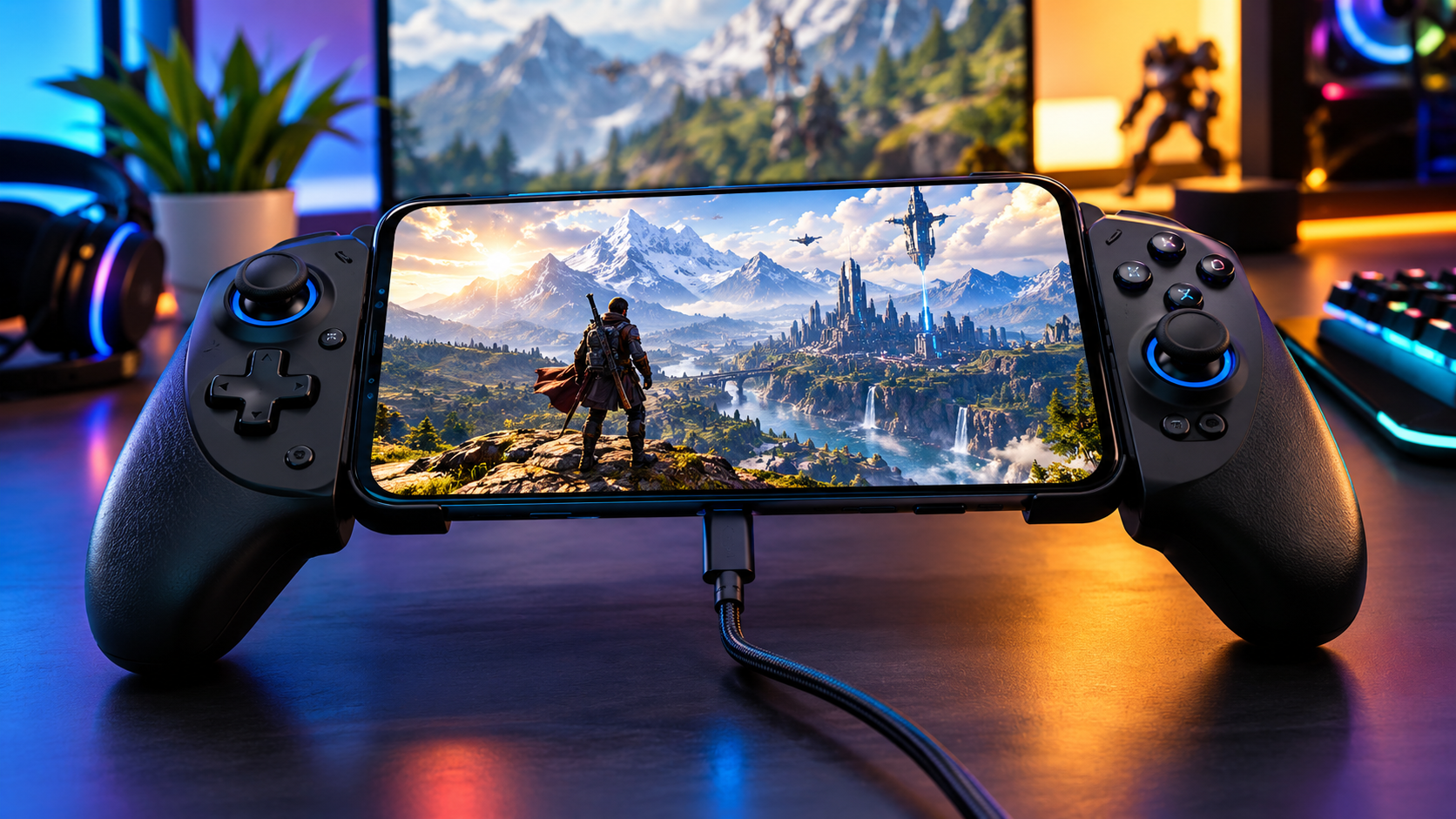
A smartphone paired with a compatible physical controller can create a more console – like experience for games that officially support controllers. However, this does not mean every mobile game supports every controller.
Requirements and Performance
There is no single specification that guarantees excellent performance in every high-graphics game.
Performance depends on:
- Processor and GPU
- Available RAM
- Device cooling
- Operating system version
- Game optimization
- Graphics settings
- Storage availability
- Battery condition
- Background applications
Recommended Approach
Before installing a demanding game:
- Check the official Google Play or App Store page.
- Confirm your device compatibility.
- Check the required operating system version.
- Ensure you have enough free storage.
- Read the developer’s official requirements where available.
Avoid relying only on unofficial “minimum requirements” lists because they can become outdated.
Storage: Why High-Graphics Games Need More Space
Large mobile games often need more than the initial download size.
Additional storage may be required for:
- Game assets
- Language packs
- Maps
- High-resolution textures
- Updates
- Temporary installation files
A good rule is to leave extra free space rather than downloading a large game when your phone storage is almost full.
Price and Value
The games in this category use different business models.
You may find:
- Free-to-play games
- Games with optional in-app purchases
- Premium games with an upfront price
- Games with downloadable expansions
Prices, promotions and availability can vary by country, platform, retailer and time.
Always check the official store listing before purchasing or downloading.
How to Download High-Graphics Mobile Games Safely
Android
The safest option is generally the official Google Play listing or another official distribution channel provided by the developer or publisher.
Installation Steps
- Open Google Play.
- Search for the official game title.
- Confirm the developer or publisher.
- Check device compatibility.
- Install the game.
- Allow official in-game downloads to complete.
- Keep the game updated through the official store.
[DOWNLOAD BUTTON HERE]
iPhone and iPad
- Open the Apple App Store.
- Search for the official game.
- Confirm the publisher.
- Check compatibility requirements.
- Download and install.
- Allow enough free storage for additional game files.
Safety and Security: Avoid Fake APKs and Dangerous Downloads
High-graphics games are popular targets for fake download websites.
Be careful of websites promising:
- Unlimited money
- Free premium content
- Cracked versions
- “Ultra graphics” modifications
- Early access without official confirmation
- Modified APK files
These downloads can expose users to:
- Malware
- Account theft
- Phishing
- Spyware
- Suspicious permissions
- Fake login pages
Safety Checklist
- Download from official stores whenever possible.
- Verify the developer or publisher name.
- Never enter your gaming account password on suspicious websites.
- Do not install unknown APK files just because a website promises better graphics.
- Review unusual permission requests.
- Keep your operating system and games updated.
Common Mistakes High-Graphics Mobile Gamers Should Avoid
1. Using Maximum Settings Automatically
The highest setting may look impressive but can cause overheating and unstable performance.
2. Ignoring Storage Space
Large updates can fail when your phone has very little free space.
3. Downloading Fake APK Files
Unofficial modified files can create serious security risks.
4. Playing While the Device Is Overheating
If your phone becomes excessively hot, stop gaming and allow it to cool.
5. Buying a Controller Before Checking Compatibility
Not every mobile game officially supports every controller.
Always check the developer’s current compatibility information.
Who Should Play High-Graphics Mobile Games ?
These games are ideal for:
- Players with modern smartphones or tablets
- Fans of visually impressive games
- RPG and open – world gamers
- Competitive shooter players
- Racing enthusiasts
- Players who enjoy console-style mobile experiences
Who May Want to Avoid Them ?
Consider lighter games if:
- Your device has limited storage.
- Your phone struggles with demanding apps.
- Battery life is a major concern.
- You prefer short, casual gaming sessions.
- You have a limited mobile data connection for large downloads and updates.
Alternatives Worth Considering
Depending on your preferred genre, other visually impressive mobile games may also be worth exploring.
For RPG Fans
Look for visually ambitious action RPGs and open-world games available through official mobile stores.
For Racing Fans
Premium racing games can provide a more traditional single-player or simulation-style experience.
For Shooter Fans
Competitive FPS games often allow players to choose between higher visual quality and higher frame rates.
The best alternative depends more on your preferred gameplay style than graphics alone.
Pros and Cons of High – Graphics Mobile Gaming
Pros
- Stunning visual experiences
- Larger and more detailed game worlds
- Console-style gameplay in a portable format
- Advanced effects and animations
- Better use of modern smartphone hardware
Cons
- Higher battery consumption
- Larger storage requirements
- More heat during long sessions
- Better performance often requires expensive hardware
- Updates can be large
Final Verdict: Which Are the Best High-Graphics Games for Mobile Gamers ?
The best high – graphics games for mobile gamers depend on the type of experience you want.
Genshin Impact is an excellent choice for open-world exploration and stylized fantasy visuals. Wuthering Waves is a strong option for players who enjoy fast-paced action RPG combat. Call of Duty: Mobile and PUBG MOBILE are ideal for players who want visually impressive competitive multiplayer action. Meanwhile, GRID Autosport remains a standout choice for gamers looking for a premium, controller-friendly racing experience.
The most important thing is to match the game with your device. Maximum graphics settings are not always necessary. A smooth, stable frame rate with balanced visuals often delivers a better gaming experience.
For the safest experience, download games only from legitimate official sources and check current compatibility requirements before installing.
Frequently Asked Questions
1. What are the best high – graphics games for mobile gamers ?
Popular choices include Genshin Impact, Wuthering Waves, Call of Duty: Mobile, PUBG MOBILE and GRID Autosport, depending on your preferred genre and device.
2. Which mobile game has the best graphics ?
There is no single answer because visual quality depends on artistic style, device capability and game settings. Open-world RPGs, premium racing games and modern shooters are among the most visually demanding categories.
3. Do high-graphics mobile games require a flagship phone ?
Not always, but flagship and high – performance devices generally provide more options for higher graphics settings and smoother performance.
4. Why do high – graphics games make phones hot ?
Demanding games use the processor and graphics hardware heavily, which generates heat during extended gameplay.
5. How can I improve graphics performance on my phone ?
Close background apps, keep enough storage free, use balanced graphics settings and reduce demanding options if the game becomes unstable.
6. Do all high-graphics mobile games support controllers ?
No. Controller support varies by game, platform and device. Always check official developer information before buying a controller.
7. Is it safe to download game APK files from random websites ?
No. Unofficial APK websites may distribute modified or malicious files. Use official stores or official developer sources.
8. Do high-graphics mobile games use a lot of storage ?
Many do. The final installed size can also be larger than the initial download because games may download additional assets and updates.
9. Is a higher frame rate better than higher graphics ?
For competitive games, a stable and responsive frame rate is often more useful than maximum visual effects.
10. Can a smartphone replace a PS5 for gaming ?
A smartphone can provide impressive portable gaming experiences, but it does not fully replace dedicated console hardware, game libraries or consistent console-level performance.