Download This Game
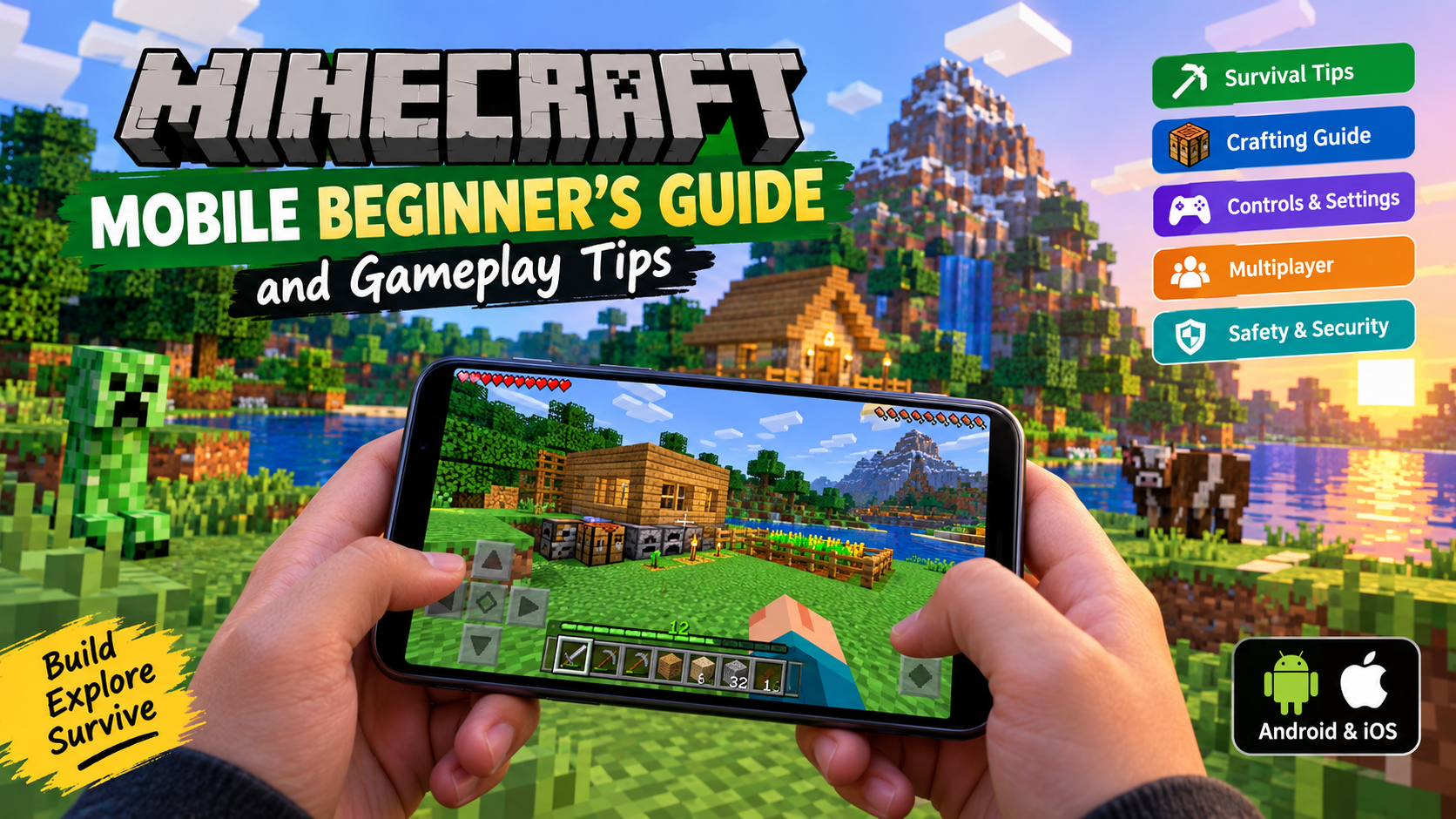
DOWNLOAD NOWMinecraft remains one of the world’s most popular sandbox games, and its mobile version lets you build, explore, craft and survive almost anywhere. Whether you’re playing on an Android phone, iPhone or tablet, this Minecraft Mobile Beginner’s Guide will help you understand the basics and avoid the mistakes that make the first few hours unnecessarily difficult.
The mobile version gives players access to the Minecraft Bedrock experience, including Survival and Creative gameplay, multiplayer features and cross-platform play with supported Bedrock platforms. Mobile players can explore randomly generated worlds, gather resources, fight mobs and create almost anything they can imagine.
What Is Minecraft Mobile ?
Minecraft Mobile is the smartphone and tablet version of Minecraft developed by Mojang. It is available through official mobile app stores and offers the familiar block-based sandbox gameplay that made Minecraft famous.
There is no single mandatory way to play. You can:
- Explore large procedurally generated worlds
- Build houses, farms and massive structures
- Mine resources underground
- Craft tools, weapons and equipment
- Fight hostile mobs
- Play Survival mode
- Build freely in Creative mode
- Join multiplayer servers
- Play with friends across supported Bedrock platforms
The official listings describe Minecraft as an open – world building, crafting and survival experience with both solo and multiplayer gameplay.
Minecraft Mobile Beginner’s Guide: Getting Started
1. Choose the Right Game Mode
Your first important decision is choosing between Survival and Creative mode.
Survival Mode
Survival mode is the traditional Minecraft experience. You need to collect resources and manage your survival.
You will need to:
- Punch trees for wood
- Craft basic tools
- Find food
- Build shelter
- Mine useful materials
- Protect yourself from dangerous mobs
For most beginners, Survival mode provides the best introduction to Minecraft’s core gameplay.
Creative Mode
Creative mode is better if you mainly want to build and experiment.
You have access to extensive resources and can focus on construction without worrying about normal survival challenges.
Beginner tip: Try Survival first to understand the game’s progression, then use Creative mode when you want to practise building ideas.
2. Your First Day: What to Do Immediately
A new Minecraft world can feel overwhelming because there are so many possible activities. The easiest approach is to follow a simple priority list.
Step 1: Collect Wood
Trees are usually your first source of useful materials.
Wood allows you to begin creating important crafting components and tools.
Step 2: Make a Crafting Table
A crafting table greatly expands the items you can create.
It should be one of your earliest priorities.
Step 3: Craft Basic Tools
Start with basic equipment that helps you collect resources more efficiently.
Your early progression usually involves upgrading from simple tools to stronger materials as you explore and mine.
Step 4: Find Food
Keep an eye on your food supply in Survival mode. Exploring and fighting can become much more difficult if you are unprepared.
Step 5: Prepare Before Night
Do not spend your entire first day wandering far from your starting area.
Before night arrives, try to create a simple shelter or find a reasonably safe location.
How to Survive Your First Night
The first night is one of the classic Minecraft beginner challenges.
A simple shelter is enough. It does not need to look impressive.
You can:
- Build a small structure
- Block dangerous entrances
- Stay inside until daylight
- Keep useful items organised
- Avoid unnecessary fights when poorly equipped
Important beginner lesson: Minecraft rewards preparation. A boring but safe shelter is better than losing valuable resources because you tried to explore too aggressively.
Minecraft Mobile Gameplay Tips for Beginners
Always Carry Essential Supplies
Once you start travelling farther from your base, preparation becomes increasingly important.
Useful supplies may include:
- Food
- Building materials
- Tools
- Torches or other useful light sources
- A weapon
- Extra materials for emergency situations
The exact items you need will depend on what you are doing, but travelling without preparation is one of the most common beginner mistakes.
Do Not Dig Straight Down
This is one of Minecraft’s most famous pieces of beginner advice.
Digging directly beneath yourself can place you in dangerous situations. A safer approach is to mine carefully and remain aware of the environment around you.
Underground exploration can lead to valuable resources, but it can also introduce hazards and hostile mobs.
Build a Simple Base Early
Your first home does not need to be beautiful.
Focus on functionality first.
A useful beginner base can provide space for:
- Storage
- Crafting
- Sleeping
- Farming
- Organising resources
Later, you can transform that basic structure into something much more impressive.
Learn the Crafting System Gradually
New players sometimes try to memorise every recipe immediately.
That is unnecessary.
Instead, learn crafting naturally as you progress:
- Basic materials
- Essential tools
- Better equipment
- Storage and building items
- Advanced projects
Minecraft becomes much easier when you understand how different resources connect to each other.
Exploring the Minecraft World
Different Biomes Mean Different Opportunities
Minecraft worlds contain different environments and biomes.
Exploring can help you discover:
- New landscapes
- Different resources
- Structures
- Animals and mobs
- New building locations
However, beginners should avoid travelling too far without knowing how to return home.
Helpful Tip: Remember Your Base Location
Before starting a long journey:
- Pay attention to your surroundings
- Use recognisable landmarks
- Consider creating clear routes
- Avoid carrying every valuable item during risky exploration
Getting lost is a common Minecraft experience – but losing all your equipment while lost is much less enjoyable.
Minecraft Mobile Controls
Touch Controls
Minecraft Mobile is designed for touchscreen gameplay, allowing players to move, look around, mine, build and manage their inventory directly on the display.
Touch controls are convenient because you can play without additional accessories, but precise building and combat may take time to master.
Tips for Better Touch Gameplay
- Adjust settings to find a comfortable control layout
- Start with slower and more careful movements
- Practise placing blocks accurately
- Avoid complicated building projects until you feel comfortable
- Use a larger screen if available
Tablets can offer additional screen space, which may make inventory management and building more comfortable.
Controller Support
The App Store listing currently identifies Minecraft as supporting compatible game controllers, including compatible PlayStation, Xbox and MFi controllers on supported Apple devices.
Minecraft’s official information also confirms that Bedrock Edition supports controller and touch input.
A physical controller can provide a more console-style experience, particularly for:
- Exploration
- Movement
- Combat
- Long gaming sessions
Important: Controller compatibility can depend on your device, operating system and controller. Check your specific device and controller before purchasing accessories specifically for Minecraft.
Minecraft Mobile vs Console
| Feature | Minecraft Mobile | Minecraft on Console |
|---|---|---|
| Portability | Excellent | Limited |
| Touch controls | Yes | No |
| Physical controller | Supported on compatible setups | Standard |
| Large-screen experience | Depends on device | Usually better |
| Play anywhere | Excellent | Limited |
| Cross-platform Bedrock play | Supported | Supported |
| Split-screen | Not the standard mobile experience | Available on supported consoles |
Minecraft’s official platform information lists cross-play support for Bedrock across compatible platforms including mobile and consoles, while split-screen multiplayer is identified as a console-only feature.
For portability, mobile is excellent. For couch gaming and large – screen multiplayer, a console may be more convenient.
Minecraft Mobile Graphics
Minecraft has a distinctive block-based visual style rather than realistic graphics.
That does not mean the game lacks visual appeal. The world can include:
- Large landscapes
- Forests and mountains
- Caves
- Water environments
- Different weather conditions
- Day and night cycles
The simple-looking visual design also makes Minecraft recognisable on virtually every supported platform.
Performance Tips
If Minecraft does not feel smooth on your device, consider:
- Reducing demanding visual settings
- Closing unnecessary background apps
- Keeping enough free storage available
- Updating the game through the official store
- Keeping your device software updated when appropriate
- Avoiding excessive multitasking while playing
Performance can vary significantly depending on your phone, tablet, world complexity and game settings.
Android and iOS Availability
Minecraft is officially available on Android and iOS through major official app stores.
The official Google Play listing currently offers Minecraft: Dream it, Build it! from Mojang, while the Apple App Store provides Minecraft for compatible iPhone and iPad devices.
Android
The safest option is:
Android players may also find an official time-limited Minecraft Trial where available. The trial does not provide the complete experience, and its trial worlds do not transfer to the full game according to the official listing.
iPhone and iPad
Use:
Minecraft on the Apple App Store
The App Store listing currently states compatibility requirements and app size for the version available in that storefront, but these details can change with updates and differ over time.
Minecraft Mobile Requirements and Storage
Minecraft requirements can change as the game evolves, so it is best to check the current official store listing for your specific device before buying or installing.
The current Apple App Store listing available at the time of checking shows an app size of approximately 1.6 GB and requires iOS/iPadOS 13.0 or later for the listed version.
Android compatibility depends on the device and current version. Google Play provides device-specific availability and points users toward Minecraft’s official requirements information.
Storage Tip
Do not assume the download size is the total storage requirement.
You may also need space for:
- Game updates
- Saved worlds
- Cached content
- Marketplace content
- Screenshots and recordings
Keeping extra free storage is a sensible idea, especially if you create multiple large worlds.
Minecraft Mobile Price and Value
Minecraft is generally a paid mobile game, with additional optional purchases and services available through the game’s ecosystem.
For example, the official Google Play listing shows a purchase price that can vary by storefront and region, while the App Store listing also includes in-app purchases.
Is Minecraft Mobile Worth Buying ?
For players who enjoy sandbox games, Minecraft offers substantial replay value because you can choose your own goals.
You might spend your time:
- Building
- Exploring
- Surviving
- Farming
- Playing multiplayer
- Joining servers
- Trying community – created content
Prices, subscriptions and Marketplace content can vary by country, platform, retailer and time, so always check the official store before purchasing.
How to Download and Install Minecraft Safely
Android Installation
- Open Google Play.
- Search for the official Minecraft listing from Mojang.
- Check that the developer information is legitimate.
- Purchase or install the official version available to your account.
- Allow the installation to finish.
- Open the game and complete any required sign-in steps.
iPhone and iPad Installation
- Open the Apple App Store.
- Search for Minecraft.
- Verify the official Mojang listing.
- Purchase or download the app through Apple.
- Wait for installation to finish.
- Open the game and start playing.
Minecraft’s official update instructions recommend using the App Store or Google Play for mobile updates.
Minecraft Mobile Safety and Security Tips
Avoid Fake APK Downloads
One of the biggest risks for Android users is downloading unofficial APK files claiming to offer:
- Minecraft for free
- Unlimited Minecoins
- Modded premium versions
- Cracked Minecraft
- Early access versions from unknown websites
These files can potentially expose users to malware, unwanted software or phishing attempts.
Stay Safer by Following These Rules
- Download from official app stores
- Avoid cracked or pirated versions
- Do not enter your Microsoft account details on suspicious websites
- Be cautious with websites promising free premium content
- Review unusual permission requests
- Keep your device and game updated
- Never install files simply because a social media video claims they are safe
Official sources remain the safest choice for downloading Minecraft.
Common Minecraft Mobile Beginner Mistakes
1. Exploring Too Far Immediately
New players often walk far from their starting area before establishing a safe base.
Better approach: Prepare first, then explore.
2. Carrying Every Valuable Item
Taking all your best equipment into a dangerous area increases the potential loss if something goes wrong.
Better approach: Keep important resources organised and stored safely when possible.
3. Ignoring Food and Preparation
Long exploration trips require planning.
Better approach: Carry useful supplies before leaving your base.
4. Trying to Build Everything Immediately
Minecraft can feel overwhelming because there are endless possibilities.
Better approach: Start with small projects and gradually increase their complexity.
5. Changing Settings Without Testing
Maximum settings are not always the best settings.
Better approach: Adjust the game for a balance between visuals, battery use and smooth performance.
6. Downloading Unofficial Files
Trying to get a paid game from unsafe sources can create serious security risks.
Better approach: Use Google Play, the App Store and official Minecraft resources.
Pros and Cons
Pros
- Huge creative freedom
- Excellent replay value
- Survival and Creative gameplay
- Multiplayer options
- Cross-platform Bedrock play
- Portable gaming experience
- Compatible controller support on supported setups
- Large amount of content and activities
Cons
- Touch controls can require practice
- Complex worlds may be demanding on some devices
- Small screens can make detailed building harder
- Additional Marketplace content may involve extra spending
- Beginners can feel overwhelmed without basic guidance
Who Should Play Minecraft Mobile ?
Minecraft Mobile is a great choice for:
- Sandbox game fans
- Creative builders
- Survival game players
- Casual mobile gamers
- Players who want a portable version of Minecraft
- Friends interested in supported cross-platform play
- Players who enjoy long-term worlds and projects
Who Might Prefer Another Version ?
You may prefer PC or console Minecraft if:
- You mainly want a large-screen experience
- You strongly prefer keyboard and mouse
- You regularly play local split-screen multiplayer
- You build extremely complex projects and prefer more physical control options
Final Words: Is Minecraft Mobile Good for Beginners ?
Yes. Minecraft Mobile is an excellent entry point for beginners, especially for players who want a full-featured sandbox experience on a phone or tablet.
The most important lesson is that Minecraft does not need to be rushed. Start by learning the basics: collect resources, create tools, prepare for the night and build a simple base. Once those fundamentals feel natural, the game opens into a much larger world of exploration, construction and multiplayer possibilities.
For anyone searching for a Minecraft Mobile Beginner’s Guide, the best advice is simple: start small, stay prepared, experiment freely and learn through playing. Minecraft’s greatest strength is that there is always another project, adventure or idea waiting for you.
Frequently Asked Questions
1. Is Minecraft available on Android and iPhone ?
Yes. Minecraft is officially available for Android through Google Play and for compatible iPhone and iPad devices through the Apple App Store.
2. Is Minecraft Mobile free ?
The full version is generally sold as a paid game. An official time – limited Minecraft Trial may also be available on supported Android devices.
3. Can Minecraft Mobile play with console players ?
Minecraft Bedrock supports cross-platform play across supported platforms, including mobile and compatible consoles.
4. Does Minecraft Mobile support controllers?
The App Store listing identifies controller support for compatible controllers, and official Minecraft information states that Bedrock supports controller and touch input. Compatibility can depend on your device and controller.
5. What should I do first in Minecraft Survival mode ?
Start by collecting wood, creating basic crafting equipment, gathering essential resources and preparing a safe place before taking major risks.
6. How much storage does Minecraft Mobile need ?
The required space depends on your device and current version. The Apple App Store listing checked for this guide shows approximately 1.6 GB, but additional storage may be needed for updates and saved content.
7. Can I play Minecraft Mobile offline ?
Many single-player activities can be enjoyed without actively playing online, while multiplayer and online services naturally require an appropriate internet connection.
8. Is Minecraft Mobile difficult for beginners ?
The basics are easy to learn, but Minecraft has enormous depth. Beginners can progress comfortably by focusing on one task at a time.
9. Is it safe to download Minecraft APK files from random websites ?
No. Unofficial APK websites can create security and malware risks. Use legitimate stores and official Minecraft sources whenever possible.
10. Is Minecraft Mobile worth buying ?
For players who enjoy building, survival, exploration and sandbox gameplay, Minecraft can offer excellent long-term value because there are many ways to play.