Best Ways to Experience Red Dead Redemption 2 on Mobile
Can You Play Red Dead Redemption 2 on Mobile ?
Download This Game
DOWNLOAD NOWThe short answer is yes – but with an important limitation. As of September 2026, Red Dead Redemption 2 does not have an officially released native Android or iOS version from Rockstar Games.
Rockstar officially lists Red Dead Redemption 2 for platforms including PlayStation, Xbox and PC rather than Android or iPhone/iPad as native versions.
That means you should be extremely cautious when websites advertise an “RDR2 Mobile APK,” “Red Dead Redemption 2 Android OBB,” or a downloadable iOS IPA claiming to be the full official game. These files are not the same as an official Rockstar mobile release and may create serious security risks.
However, there are legitimate ways to experience Red Dead Redemption 2 on a smartphone or tablet by streaming the game from supported hardware. For many players, this can create a convincing console-style mobile gaming experience when paired with a stable network and a physical controller.
Red Dead Redemption 2: Game Overview
Developed by Rockstar Games, Red Dead Redemption 2 is an open-world action-adventure game set in America in 1899, during the final years of the Wild West era.
Players follow Arthur Morgan, a member of the Van der Linde gang, as the group struggles to survive while law enforcement and bounty hunters close in around them. The game combines story missions with exploration, combat, hunting, horse riding and a detailed open world.
The experience includes:
- A large open – world environment
- Story – driven missions
- Horse riding and exploration
- Gunfights and survival
- Hunting and wildlife systems
- Dynamic towns and NPC interactions
- A detailed single – player campaign
- Red Dead Online multiplayer content
The game’s scale and technical complexity are exactly why there is a major difference between playing it natively on a phone and streaming it to a phone.
The Best Legitimate Ways to Experience Red Dead Redemption 2 on Mobile
1. Play Through PlayStation Remote Play
For players who own a compatible PlayStation setup and the game, PlayStation Remote Play can be one of the most practical ways to bring Red Dead Redemption 2 to a smartphone or tablet.
The PlayStation Store listing for Red Dead Redemption 2 identifies Remote Play support for the PS4 version.
With Remote Play, the game runs on your PlayStation hardware while the video and controls are streamed to your compatible mobile device.
Why this method is useful
- You play your existing console version
- No unofficial APK is required
- Your phone acts as a portable screen
- A controller can provide a more console-like experience
- The actual game processing happens on the console
Important limitation
Performance depends heavily on:
- Your home internet connection
- Local Wi-Fi quality
- Network congestion
- Distance from your console when playing remotely
- Your mobile device and Remote Play configuration
A strong Wi-Fi connection is generally much more important than having the most powerful smartphone because the game itself is being rendered elsewhere.
2. Stream From a Gaming PC Using Remote Desktop or Game Streaming Software
Another legitimate option is streaming Red Dead Redemption 2 from a PC that you own and that is capable of running the game.
In this setup:
Gaming PC → Game runs on PC → Video streams to smartphone/tablet
This approach can be attractive for players who already own the PC version through an official store.
Rockstar’s official store provides Red Dead Redemption 2 for PC through the Rockstar Games Launcher and lists official PC editions and system requirements.
Advantages
- Access your existing PC game library
- Potentially excellent graphics
- No fake mobile version required
- Physical controllers can improve comfort
- Your smartphone can become a portable gaming display
Disadvantages
- Requires a capable gaming PC
- Requires network setup
- Performance can vary depending on your connection
- Mobile data usage may be high when streaming remotely
For the best experience, a stable home network and low-latency connection are essential.
3. Use Your Phone as a Console-Style Gaming Screen
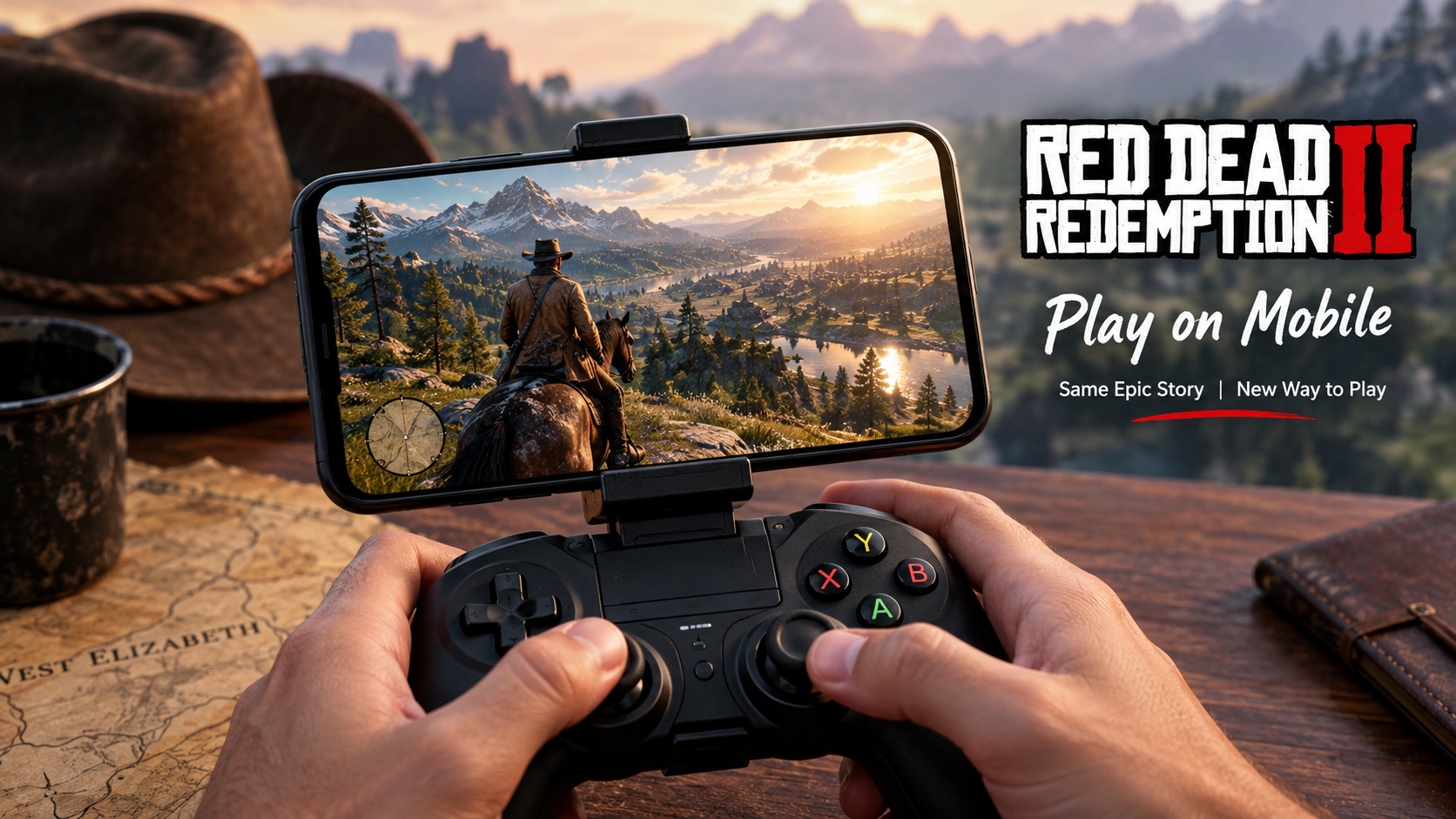
One of the best ways to enjoy Red Dead Redemption 2 on mobile is to treat your smartphone as part of a larger gaming setup rather than expecting it to run the full game locally.
A typical setup may include:
- A smartphone or tablet
- A compatible physical controller
- A secure phone mount or controller attachment
- Remote Play or PC game streaming
- A stable Wi-Fi connection
This creates a portable, console – inspired setup without falsely claiming that Rockstar has released an official standalone RDR2 Android or iOS game.
Is There an Official Red Dead Redemption 2 Android Version ?
No official native Android release of Red Dead Redemption 2 is confirmed by Rockstar Games as of September 2026.
Rockstar’s official game information lists the title for its established console and PC platforms rather than Android as a native platform.
It is important not to confuse Red Dead Redemption 2 with the original Red Dead Redemption.
Rockstar announced an official mobile release of the original Red Dead Redemption for iOS and Android in December 2025. That announcement does not mean that Red Dead Redemption 2 also received a native mobile port.
This distinction is especially important when searching app stores or gaming websites.
Is Red Dead Redemption 2 Available on iPhone or iPad ?
There is no confirmed native iPhone or iPad version of Red Dead Redemption 2 from Rockstar Games at the time of writing.
Players may still be able to experience the game on an Apple device through legitimate streaming or Remote Play methods, depending on the hardware and services they own and use.
Avoid websites claiming that you can simply download a “Red Dead Redemption 2 iOS IPA” and install the complete game as an official mobile release.
Graphics: How Does RDR2 Look on a Smartphone ?
When streamed from a console or capable gaming PC, Red Dead Redemption 2 can still look impressive on a modern smartphone display.
The final image quality depends on several factors:
Streaming Resolution
Higher-quality streams generally look sharper, but they may require more bandwidth.
Internet Stability
A fast connection is useful, but stable low – latency networking is often even more important.
Screen Size
Smartphone screens can make some visual imperfections less noticeable, while tablets can offer a more immersive view of the game’s landscapes and cinematic presentation.
Source Hardware
The graphics quality ultimately depends on the console or PC running the game.
Your phone is primarily receiving and displaying the video stream rather than rendering the entire game locally.
Controls and Controller Support
Red Dead Redemption 2 was originally designed around traditional console and PC control systems, so touchscreen – only gaming can feel less natural when using streaming solutions.
For a more comfortable mobile experience, many players prefer a compatible physical controller supported by the streaming or Remote Play platform they are using.
A Better Console – Style Setup
Consider:
- A compatible Bluetooth controller
- A controller with a smartphone mount
- A mobile gaming controller supported by your chosen streaming solution
Important: Controller compatibility depends on the Remote Play or streaming platform – not on the existence of an official native RDR2 mobile app.
Always check the official documentation for your specific device and streaming service before buying accessories.
Requirements for Playing Red Dead Redemption 2 on Mobile
Because there is no confirmed native RDR2 Android/iOS version, requirements depend on the method you choose.
For PlayStation Remote Play
You generally need:
- A compatible PlayStation system
- A legitimate copy or eligible access to the game
- A compatible mobile device
- The official Remote Play application
- A stable internet or Wi-Fi connection
For PC Streaming
You generally need:
- A gaming PC capable of running RDR2
- An officially purchased version of the game
- Compatible game streaming software
- A smartphone or tablet
- A stable local or remote network
For the Best Experience
Prioritize:
- Strong Wi-Fi
- Low network latency
- A modern smartphone or tablet
- A physical controller
- A comfortable phone mount
- A charger or power bank for longer sessions
Storage Requirements: Do You Need Huge Phone Storage ?
This is one advantage of streaming.
When Red Dead Redemption 2 runs on your PlayStation or PC, the complete game does not need to be installed as a native game on your smartphone.
You may only need storage for:
- The streaming or Remote Play application
- Cached data
- Screenshots and recordings
- System updates
However, the console or PC running the game still needs sufficient storage for the actual installation.
Price and Value
The cost of experiencing Red Dead Redemption 2 on mobile depends on how you access it.
You may already own:
- The game on PlayStation
- The game on Xbox
- The PC version
- Compatible hardware
If you need to purchase the game, pricing can vary significantly by country, retailer, platform, edition and promotional period.
For example, official storefronts may offer temporary discounts that differ by region and time. Always check the current official store before purchasing.
Is It Worth Buying Specifically for Mobile Streaming ?
It can be worth it if:
- You already enjoy Rockstar’s open-world games
- You own compatible console or PC hardware
- You have reliable internet
- You want to continue playing away from your main TV or monitor
It may be less worthwhile if your primary goal is to download and run the entire game directly on your Android phone or iPhone, because an official native RDR2 mobile release is not currently confirmed.
Red Dead Redemption 2 Console vs Mobile Streaming
| Feature | Console/PC | Mobile Streaming |
|---|---|---|
| Game runs locally | Yes | No, usually runs on host hardware |
| Native mobile app required | No | No |
| Portability | Limited | High |
| Graphics | Depends on hardware | Depends on host and stream quality |
| Internet required | Not always for offline story play | Usually required |
| Controller experience | Excellent | Can be excellent with compatible hardware |
| Latency risk | Low | Depends on network |
| Full RDR2 experience | Yes | Yes, when streaming works correctly |
The biggest advantage of mobile streaming is portability. The biggest disadvantage is dependence on a reliable network and host hardware.
Pros and Cons of Playing RDR2 Through Mobile Streaming
Pros
- Play a major console/PC game on a portable screen
- No unofficial APK required
- Excellent potential graphics
- Physical controllers can create a console – style experience
- Continue gaming away from your main TV or monitor
- Lower phone storage requirements than a native installation
Cons
- No confirmed native RDR2 Android or iOS version
- Requires compatible hardware
- Streaming quality depends on the network
- Latency can affect aiming and combat
- Mobile data usage can be significant
- Long sessions can drain your phone battery
Who Should Try Red Dead Redemption 2 on Mobile ?
Recommended For
- Players who already own RDR2 on compatible hardware
- Console gamers who want more portability
- PC gamers with home streaming setups
- Players with stable Wi-Fi
- Gamers who enjoy controller-based mobile gaming
You May Want to Avoid It If
- You only want a native offline Android/iOS version
- Your internet connection is unstable
- You have very limited mobile data
- You do not own compatible host hardware
- You are considering downloading unofficial APK files
How to Set Up a Safe Mobile RDR2 Experience
Step 1: Own the Game Legitimately
Purchase or access Red Dead Redemption 2 through an official platform.
Rockstar’s official store is one legitimate source for the PC version. Rockstar Games Store
Official console stores are also appropriate sources:
PlayStation Store – Red Dead Redemption 2
Xbox Store – Red Dead Redemption 2
Step 2: Choose Your Streaming Method
Use an official or trusted Remote Play/game streaming solution compatible with your hardware.
Step 3: Connect Your Mobile Device
Install the appropriate official application from the legitimate app store for your platform.
Step 4: Test Your Network
Before starting a long story mission, test:
- Video quality
- Input delay
- Connection stability
- Audio synchronization
Step 5: Add a Compatible Controller
A physical controller can make horse riding, combat and long gameplay sessions significantly more comfortable.
Safety Warning: Avoid Fake Red Dead Redemption 2 APKs
Search engines and social media often contain misleading pages promising:
- “RDR2 Mobile APK”
- “Red Dead Redemption 2 APK + OBB”
- “Unlimited money RDR2 Android”
- “RDR2 iOS IPA download”
- “Official Rockstar RDR2 mobile”
Be careful.
Common Risks
Malware
Modified APK files can contain harmful software.
Phishing
Fake download pages may attempt to steal:
- Email credentials
- Social media passwords
- Gaming account details
- Payment information
Suspicious Permissions
A supposed game should not need unrelated access to sensitive parts of your phone.
Fake Installers
Some websites make users complete surveys, install unrelated apps or enable suspicious browser notifications.
Stay Safe
Only download applications from:
- Official developer websites
- Google Play
- Apple App Store
- Official console stores
- Trusted platform applications
Never disable important device security features simply to install a suspicious “RDR2 Mobile” file.
Common Mistakes to Avoid
Mistake 1: Confusing Red Dead Redemption With Red Dead Redemption 2
The original Red Dead Redemption received an official Android and iOS release, but this does not mean that Red Dead Redemption 2 has the same native mobile availability.
Mistake 2: Downloading the First APK You Find
A large download size does not prove that a file is legitimate.
Mistake 3: Assuming a Powerful Phone Can Run the Official PC Game
A powerful smartphone does not automatically mean Rockstar has released a compatible native RDR2 version.
Mistake 4: Ignoring Network Quality
For streaming, stable connectivity can matter more than raw smartphone processing power.
Mistake 5: Buying Accessories Before Checking Compatibility
Always verify controller and streaming compatibility with your chosen platform first.
Alternatives for Mobile Gamers Who Want an Open-World Experience
If your main goal is a native mobile open-world game rather than streaming RDR2, consider exploring officially available alternatives.
| Game Type | What to Look For |
|---|---|
| Open – world action | Large maps and exploration |
| Western – themed games | Frontier settings and horseback gameplay |
| Console – quality mobile games | Controller support and advanced graphics |
| Cloud/Remote gaming | Access to existing PC or console libraries |
For readers specifically interested in Rockstar’s western universe, it is also worth noting that the original Red Dead Redemption has an official mobile release on Android and iOS.
Final Verdict: Is Red Dead Redemption 2 on Mobile Worth It?
The best way to experience Red Dead Redemption 2 on mobile is currently through a legitimate Remote Play or game-streaming setup rather than an unofficial APK download.
There is no confirmed official native Android or iOS version of Red Dead Redemption 2 at the time of writing. However, players with compatible PlayStation or gaming PC hardware can use their smartphone or tablet as a portable screen and enjoy a console-style experience.
For the best results, use a stable connection, compatible controller and legitimate copy of the game. Most importantly, avoid fake RDR2 mobile downloads that claim to offer the complete game as an unofficial APK or IPA.
If Rockstar officially announces a native Red Dead Redemption 2 mobile version in the future, the availability, installation requirements and supported devices should be checked directly through Rockstar and official app stores.
Frequently Asked Questions
1. Can I download Red Dead Redemption 2 on Android ?
There is no confirmed official native Android version of Red Dead Redemption 2 from Rockstar Games as of September 2026. Avoid unofficial APK files claiming to be the complete game.
2. Can I play Red Dead Redemption 2 on an iPhone ?
You can potentially experience it through compatible Remote Play or PC streaming methods, but there is no confirmed native iPhone version of Red Dead Redemption 2.
3. Is Red Dead Redemption 2 officially available on mobile ?
No official native Android or iOS release of Red Dead Redemption 2 is confirmed at the time of writing.
4. Is Red Dead Redemption 2 Mobile APK safe ?
Unofficial APK files can carry malware, phishing risks or unwanted software. Use official stores and trusted applications only.
5. Can I use a controller to play RDR2 on my phone ?
A compatible physical controller may work with your chosen Remote Play or streaming platform. Compatibility depends on that platform and your device.
6. Does Red Dead Redemption 2 run directly on a smartphone ?
Not through a confirmed official native Android or iOS version. Streaming methods generally run the game on a console or PC and send the video to your phone.
7. Do I need fast internet to stream RDR2 ?
A stable, low-latency connection is important for good streaming performance. Network quality directly affects image quality and input responsiveness.
8. How much storage does RDR2 need on mobile ?
When streaming from a console or PC, you generally do not need the full game installed on your smartphone. Storage requirements mainly come from the streaming application and cached data.
9. Is Red Dead Redemption the same as Red Dead Redemption 2 ?
No. They are different games. The original Red Dead Redemption received an official Android and iOS release, while Red Dead Redemption 2 does not have a confirmed native mobile release.
10. What is the best way to play RDR2 on a phone ?
For players who own compatible hardware, legitimate Remote Play or PC game streaming with a stable network and compatible physical controller can provide the best mobile experience.