
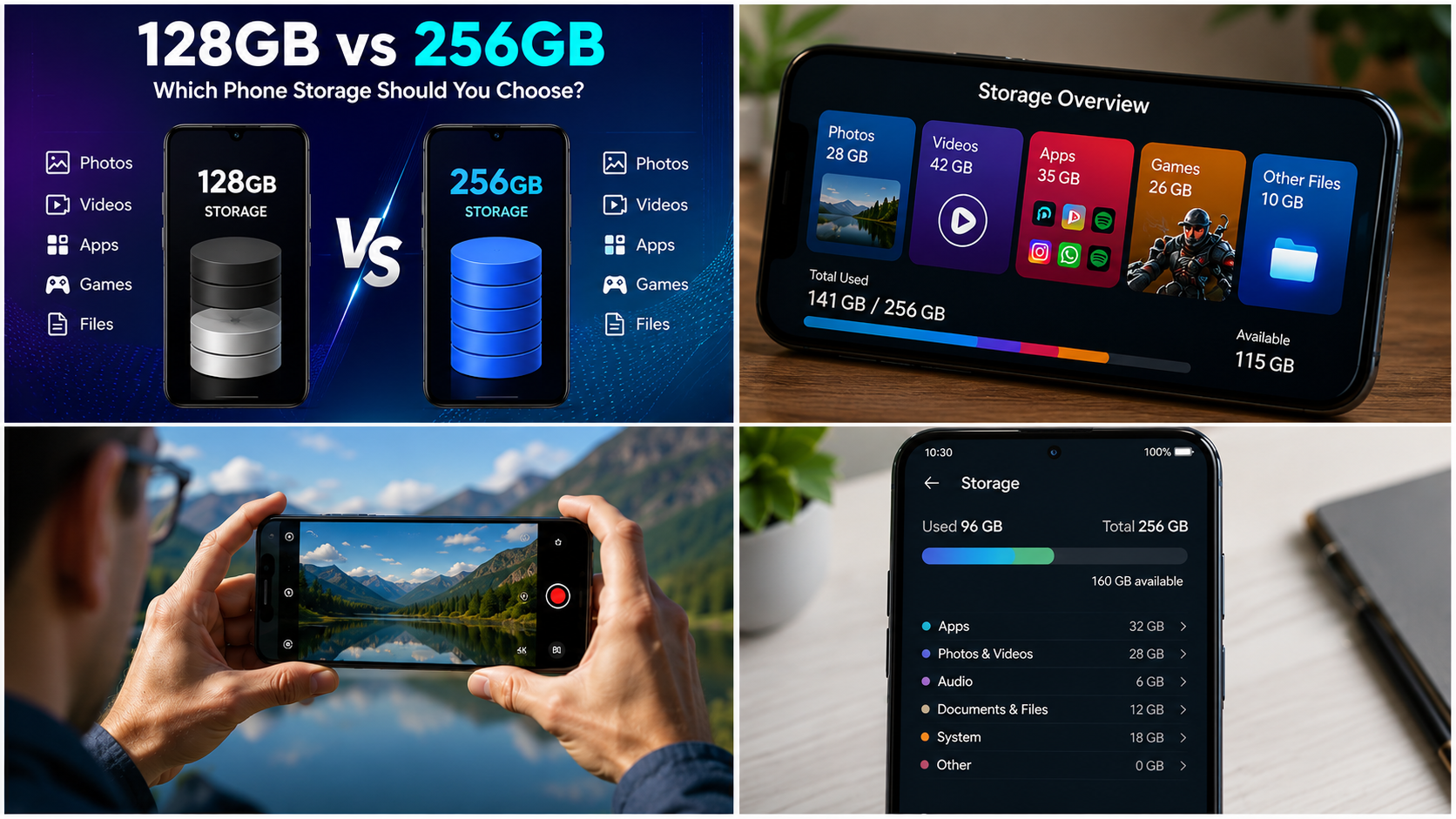
Choosing between 128GB vs 256GB is one of the most common decisions when buying a new smartphone. At first glance, 256GB simply looks like the better option because it gives you twice the advertised storage. But that does not automatically mean everyone needs it.
For some users, 128GB is more than enough for everyday apps, photos, social media, streaming and occasional gaming. For others, especially people who record lots of high-resolution video, download large games or keep their files on the phone for years, 256GB can be a much better long – term choice.
The right answer depends on how you use your phone, how long you plan to keep it, whether the phone supports expandable storage, and how comfortable you are with cloud storage and regularly cleaning up files.
128GB vs 256GB: Quick Answer
For most people, 128GB is enough for basic and moderate smartphone use, while 256GB is the safer choice for heavy users and long – term ownership.
Choose 128GB if you mainly use messaging apps, social media, streaming services, web browsing, normal photography and a reasonable number of apps.
Choose 256GB if you take lots of photos and videos, play several large games, download content for offline use, store work files locally or plan to keep your phone for several years without frequently managing storage.
If the price difference between the two versions is relatively small and the phone does not support a microSD card, 256GB can also provide useful extra headroom.
128GB vs 256GB Storage Comparison
| Feature | 128GB Phone | 256GB Phone |
|---|---|---|
| Advertised storage | 128GB | 256GB |
| Best for | Everyday users | Heavy users |
| Apps | Good | Excellent |
| Photos | Good for moderate collections | Better for large collections |
| Videos | Suitable for moderate recording | Better for frequent recording |
| Gaming | Suitable for casual/moderate gaming | Better for many large games |
| Offline downloads | Moderate | Excellent |
| Long-term use | Good with storage management | Better |
| Need for cloud storage | More likely | Less urgent |
| Storage management | More frequent | Less frequent |
| Expandable storage | Depends on phone | Depends on phone |
| Overall flexibility | Good | Excellent |
Remember that 128GB and 256GB are advertised storage capacities, not necessarily the amount of free space you will see after setting up the phone. The operating system and pre – installed software use some storage. Apple explains that the capacity shown on packaging can differ from the formatted capacity reported by the device because formatting and system software consume space.
Read also :- Best Phones Under 20000: Quick Answer
What Does 128GB Phone Storage Actually Mean ?
A 128GB smartphone has a storage capacity of 128GB before accounting for the operating system, pre-installed software and other system data.
Storage is where your phone keeps things such as:
- Photos
- Videos
- Applications
- Games
- Downloaded music
- Offline movies and TV shows
- Documents
- Messaging app media
- Downloads
- Camera files
- Some app data and caches
It is important not to confuse storage with RAM.
RAM helps the phone handle active apps and multitasking, while storage is used to keep your files, apps and other data.
Google also distinguishes storage from memory in its Android documentation: storage keeps data such as music and photos, while memory is used to run programs and the Android system.
Is 128GB Enough ?
For many users, yes.
A 128GB phone can work well if your smartphone usage mainly consists of:
- WhatsApp or similar messaging
- Instagram, Facebook and other social platforms
- YouTube and music streaming
- Web browsing
- Online shopping
- Banking and productivity apps
- Normal photography
- Occasional video recording
- A limited number of large games
The important thing is how quickly your personal files grow.
Someone who takes a few photos every week may have no problem with 128GB for a long time. Someone who records lots of high – resolution video can consume storage much faster.
What Does 256GB Phone Storage Offer ?
A 256GB phone provides twice the advertised storage capacity of a 128GB version.
That extra space can be valuable because modern smartphones are used for much more than calls and messages.
A 256GB phone is particularly useful for people who:
- Take lots of photos
- Record frequent videos
- Shoot high – resolution or 4K video
- Install many games
- Download games with additional data
- Keep large music libraries offline
- Download movies or shows
- Store work documents
- Keep years of personal media
- Want to keep the phone for several years
The biggest advantage is not necessarily that you can immediately use twice as much content. It is that you have considerably more room before storage management becomes a regular chore.
128GB vs 256GB for Photos
For people who use their phone as their primary camera, storage capacity deserves serious consideration.
Modern smartphones can produce large photo and video files, particularly when using higher – resolution camera modes or advanced video recording settings.
A person who takes occasional photos may be perfectly happy with 128GB.
A photography – heavy user may prefer 256GB because the larger capacity allows a much bigger local photo library.
Who should choose 128GB for photography ?
128GB can be enough if you:
- Mostly take everyday photos
- Regularly back up photos
- Don’t keep your entire photo library offline
- Delete unwanted images occasionally
- Use cloud storage
Who should choose 256GB ?
256GB makes more sense if you:
- Take hundreds or thousands of photos regularly
- Record lots of video
- Keep your original files on the phone
- Travel frequently
- Do not want to constantly transfer files
- Prefer keeping several years of media locally
Cloud backup can reduce the pressure on phone storage. For example, Google Photos provides tools to remove photos from a device after they have been safely backed up. Google specifically recommends checking that photos have been backed up before removing their device copies.
128GB vs 256GB for Video Recording
Video can make the storage decision much more important.
If you rarely record video, 128GB may be sufficient.
If you regularly record long videos, 256GB offers considerably more breathing room.
This is especially relevant for:
- Travel videos
- Family events
- Sports recordings
- Social media content
- Vlogging
- High – resolution video
- Long recording sessions
A phone with 256GB storage does not make the camera itself better. Instead, it gives you more room to keep the videos you record.
If you’re buying a camera-focused smartphone and regularly record video, moving from 128GB to 256GB can therefore be a sensible upgrade.
128GB vs 256GB for Gaming
Gaming is another major factor.
A few lightweight games may not create a storage problem on a 128GB phone. However, modern mobile games can require substantial storage, particularly after downloading additional game resources and updates.
If you play only one or two games, 128GB may be enough.
If you regularly install several large games, 256GB is more comfortable.
Choose 128GB for gaming if:
- You play a small number of games
- You frequently uninstall games you no longer play
- You don’t keep many large games installed
- You mainly play casual games
Choose 256GB for gaming if:
- You play several large games
- You switch between multiple games
- You download additional game resources
- You want to keep games installed for long periods
- You also store lots of photos and videos
The key point is that 256GB doesn’t make a game run faster simply because it has more storage. Performance depends on other hardware and software factors.
The storage advantage is mainly about having enough space to install and keep the games you want.
128GB vs 256GB for Apps
Most everyday apps are manageable on 128GB.
However, storage usage is not limited to the initial app download. Apps can accumulate additional data, downloads, media and cache files over time.
Messaging and social media applications can also become storage – heavy if you receive and keep lots of photos, videos and documents.
Google provides Android users with storage – management tools that can show categories of storage usage and help remove unnecessary files and apps.
For normal app users
128GB is generally a comfortable starting point if you use:
- Messaging
- Social media
- Banking
- Shopping
- Streaming
- Productivity apps
For app – heavy users
256GB is preferable if you regularly install:
- Many games
- Video – editing apps
- Photo – editing apps
- Offline navigation data
- Large productivity files
- Multiple streaming downloads
128GB vs 256GB for Offline Downloads
Streaming reduces the need to permanently store media on your phone, but offline downloads can quickly change that.
You may download:
- Music playlists
- Movies
- TV shows
- Podcasts
- Maps
- Videos
- Documents
If you frequently travel without reliable internet access, having extra local storage can be very useful.
For example, someone who downloads entertainment before every trip may appreciate 256GB more than someone who streams everything.
Does 256GB Make a Phone Faster ?
Not by itself.
This is an important distinction.
A phone with 256GB storage is not automatically faster than the same phone with 128GB storage.
Performance is affected by factors such as:
- Processor
- RAM
- Storage technology
- Software optimisation
- Thermal management
- Display resolution and refresh rate
- GPU performance
Storage capacity tells you how much data the phone can hold, not how powerful the phone is.
If two versions of the same phone have different storage capacities but otherwise similar hardware, don’t buy the 256GB model simply because you expect it to perform twice as fast.
Does 256GB Improve Camera Quality ?
No.
A 256GB version of a phone does not automatically take better photos than its 128GB version.
Camera quality depends on the:
- Camera sensors
- Lenses
- Image-processing system
- Camera software
- Processor
- Stabilisation
- Computational photography features
The advantage of 256GB is that you can store more of those photos and videos locally.
So if you’re comparing a 128GB and 256GB version of the same smartphone, storage capacity should not be confused with camera capability.
128GB vs 256GB for Long-Term Use
This is where 256GB can become particularly attractive.
A phone bought today may remain your main device for several years. During that time, your collection of photos, videos, apps, downloads and documents can grow.
With 128GB, you may eventually need to:
- Delete old videos
- Move photos to a computer
- Use cloud storage
- Remove unused apps
- Clear downloads
- Manage large files more often
With 256GB, you have more room for that growth.
This doesn’t mean 128GB will definitely become insufficient. It depends heavily on your habits.
A useful rule
If you regularly think:
“I don’t want to keep deleting things from my phone.”
then 256GB is probably the better choice.
128GB vs 256GB: Price and Value
The price difference between storage versions varies by smartphone, market and retailer.
Because of that, there is no universal rule saying that 256GB is always worth paying extra for.
Instead, consider the cost of the additional storage relative to the total phone price.
If the upgrade is relatively affordable and you plan to keep the phone for several years, 256GB can be good value.
If the upgrade is expensive and you are a light user, 128GB may make more sense.
Also remember that prices and availability can vary by country, retailer, taxes, promotions and time. Always compare the actual current prices for the exact phone configuration available in your market.
Cloud Storage Can Change the Answer
Cloud storage can make 128GB more practical.
If you regularly back up your photos and videos, you don’t necessarily need to keep every file stored locally.
Google Photos, for example, allows backed-up photos and videos to be removed from the device to free local storage.
However, cloud storage isn’t a complete replacement for internal storage.
You may still need local space for:
- Apps
- Games
- Downloads
- Camera processing
- Offline media
- Documents
- Temporary files
You also need an internet connection to access cloud – only content in situations where it isn’t stored locally.
Google notes that account storage is shared across services such as Google Photos, Google Drive and Gmail, so cloud capacity should also be considered when planning your storage needs.
What About microSD Cards ?
Some Android phones support expandable storage through a microSD card, while many modern phones do not.
This makes checking the specific phone model important.
If a phone supports expandable storage, you may be able to use a memory card for compatible files and media, depending on the manufacturer’s implementation.
If the phone has no microSD slot, the internal storage capacity you choose at purchase becomes much more important.
Important buying tip
Don’t assume that every Android phone supports microSD cards.
Always check the official specifications for the exact model and regional variant before buying.
128GB vs 256GB: Which Is Better for Different Users ?
| User Type | Recommended Storage |
|---|---|
| Basic phone user | 128GB |
| Social media user | 128GB |
| Messaging – heavy user | 128GB – 256GB |
| Casual photographer | 128GB |
| Heavy photographer | 256GB |
| Frequent video recorder | 256GB |
| Casual gamer | 128GB |
| Heavy gamer | 256GB |
| Frequent offline downloads | 256GB |
| Business/work user | 256GB |
| Long-term phone owner | 256GB |
| Cloud-storage – heavy user | 128GB can be enough |
| User who hates deleting files | 256GB |
Pros and Cons of 128GB
Pros
- Usually cheaper than the higher – storage version
- Enough for many everyday users
- Suitable for normal apps and social media
- Works well with cloud backups
- Can be sufficient for moderate photography
- Good choice for people who regularly manage storage
Cons
- Less room for large games
- Less comfortable for extensive video recording
- Requires more storage management over time
- Can become restrictive for heavy users
- More dependent on cloud storage or external backups
Pros and Cons of 256GB
Pros
- Twice the advertised capacity of 128GB
- Better for large photo and video libraries
- More suitable for multiple large games
- Better for offline downloads
- More comfortable for long – term ownership
- Less frequent storage management
Cons
- Usually costs more
- May be unnecessary for light users
- Does not automatically improve phone performance
- Does not improve camera quality by itself
- Still isn’t unlimited storage
Common Mistakes When Choosing Phone Storage
1. Assuming more storage means better performance
It doesn’t.
Storage capacity and processing performance are different specifications.
2. Looking only at the advertised capacity
The operating system and system data use part of the phone’s storage.
The available space you see after setup will therefore be less than the advertised capacity. Apple documents this distinction in its explanation of device storage capacity.
3. Forgetting about video
People often estimate their storage needs based on photos and apps but forget how quickly video libraries can grow.
If you frequently record video, consider 256GB.
4. Assuming cloud storage solves everything
Cloud backups can reduce local storage requirements, but apps, games and offline content still need local storage.
5. Assuming every phone supports a memory card
Always check the official specifications.
6. Buying 128GB just to save money
If you plan to keep the phone for several years and the storage upgrade is reasonably priced, the cheaper option may not provide the best long-term value.
7. Buying 256GB without actually needing it
Extra storage is useful only if you actually use it.
A light user may get little practical benefit from paying significantly more for 256GB.
How to Check Your Current Storage Needs
Before buying a new phone, look at how much storage your current phone is using.
On Android, you can generally check this through the device’s Settings > Storage section, although menu names vary between manufacturers. Google provides Android storage-management instructions for checking storage categories and freeing space.
Look at:
- Apps
- Photos
- Videos
- Audio
- Documents
- Downloads
- System
- Other files
Then ask yourself:
How much storage am I using now ?
If your current phone is already close to its capacity, moving to another phone with the same storage size may not solve the problem.
If you’re using relatively little storage, 128GB could be perfectly reasonable.
A Simple 128GB vs 256GB Decision Rule
Use this quick guide:
Choose 128GB if:
- You are a light or moderate user
- You stream most of your content
- You use cloud photo backup
- You don’t install many large games
- You regularly clean your phone
- You want to keep the purchase cost lower
Choose 256GB if:
- You take lots of photos
- You record lots of videos
- You play several large games
- You download lots of content
- You store work files locally
- You want to keep your phone for years
- You don’t want to constantly manage storage
- The price difference is reasonable
Who Should Buy a 128GB Phone ?
A 128GB phone is a good fit for users who want a practical smartphone without paying for storage they may never use.
It’s especially suitable for people who:
- Mainly use social media and messaging
- Stream music and video
- Take occasional photos
- Play a few games
- Back up media regularly
- Don’t keep huge offline libraries
For this type of user, 128GB can provide a good balance between capacity and cost.
Who Should Buy a 256GB Phone ?
A 256GB phone is the better choice for heavy users who want more freedom.
It’s particularly suitable for:
- Content creators
- Frequent travellers
- Mobile gamers
- Photography enthusiasts
- People who record lots of video
- Users with large offline libraries
- Professionals storing documents and media
- People planning to keep their phone for several years
If you are unsure and the price difference is reasonable, 256GB is generally the more flexible option.
Who Should Avoid Paying Extra for 256GB ?
You probably don’t need 256GB if:
- You mostly use messaging and social media
- You rarely take photos or videos
- You stream almost everything
- You have very few apps
- You regularly move files elsewhere
- Your current phone uses far less than 128GB
In that situation, spending extra on storage may provide little practical benefit.
The money could potentially be better spent on another feature that matters more to you, such as a better camera, display, battery or processor.
128GB vs 256GB: What About Future-Proofing ?
Future-proofing means buying hardware that should remain suitable for your needs as those needs change.
Storage is one area where this can matter.
You might currently take only a few photos, but over several years your media library can become much larger.
You may also start downloading more games, recording more video or using your phone for work.
For this reason, 256GB offers more storage headroom.
But future-proofing doesn’t mean buying the largest capacity available. The best approach is to choose enough storage for your expected usage without paying heavily for capacity you won’t use.
How to Keep 128GB Storage Manageable
If you choose 128GB, a few habits can make a big difference.
Back up photos and videos
Regular backups can let you remove old local copies when appropriate.
Remove unused apps
Don’t keep apps installed simply because you might use them someday.
Review downloads
Downloaded videos, documents and media can quietly consume large amounts of storage.
Clean messaging media
Messaging apps can accumulate years of photos, videos and documents.
Check storage regularly
Don’t wait until the phone is completely full.
Google’s Android storage tools can help identify categories and files that are taking up space. Android also supports app archiving on supported devices, which can remove an app’s software while retaining its icon and data for later restoration.
Is 128GB Enough for 5 Years ?
There is no universal answer.
It can be enough for a user who:
- Uses cloud backups
- Streams most media
- Doesn’t keep many large games
- Regularly removes unnecessary files
It may not be enough for someone who:
- Records lots of high – resolution video
- Keeps years of photos locally
- Downloads large games
- Stores large files on the phone
- Doesn’t want to manage storage
For long-term ownership, 256GB provides more flexibility.
Is 256GB Worth It ?
For many users, yes – but not for everyone.
The extra capacity becomes valuable when you use your phone as a camera, gaming device, entertainment system and work tool.
If your smartphone is mostly a communication and streaming device, 128GB may be enough.
The decision should therefore be based on your storage habits rather than the bigger number alone.
128GB vs 256GB: Final Words Recommendation
For most light and moderate users, 128GB is the sensible starting point.
It provides enough room for everyday apps, social media, messaging, photos, streaming and normal use, particularly if you use cloud backups and occasionally clean your storage.
For heavy users, gamers, photographers, frequent video creators and long-term phone owners, 256GB is the safer choice.
If the 256GB upgrade costs only a reasonable amount and the phone does not offer expandable storage, choosing 256GB can also reduce the chance that you’ll regret your storage decision later.
The simplest way to decide is this:
Buy 128GB if you manage storage comfortably. Buy 256GB if you want storage freedom.
Ultimately, the best phone storage is not the largest capacity available – it is the capacity that matches your usage, budget and expected ownership period.